Purpose
The purpose of this Quick Reference Guide (QRG) is to provide a step-by-step guide of how to drill down classic reports in Oracle Analytics Cloud (OAC) Classic.
Introduction and Overview
This QRG outlines the two main processes for drilling down in OAC Classic: 1) Drill-Down a Report and 2) Detailed Balance Drill-Down. Report Drill-Down enables users to navigate through hierarchical data, revealing child accounts down to the lowest level. Detailed Balance Drill-Down allows users to trace summarized account balances all the way down to the journal-level details, providing deeper insight into underlying transactions.
Note: Drill-Down and Detailed Balance Drill-Down capabilities are not available in all OAC reports.
Drill-Down a Report
Follow the below steps to drill-down a report in Classic Reports. There are 6 steps to complete this process.
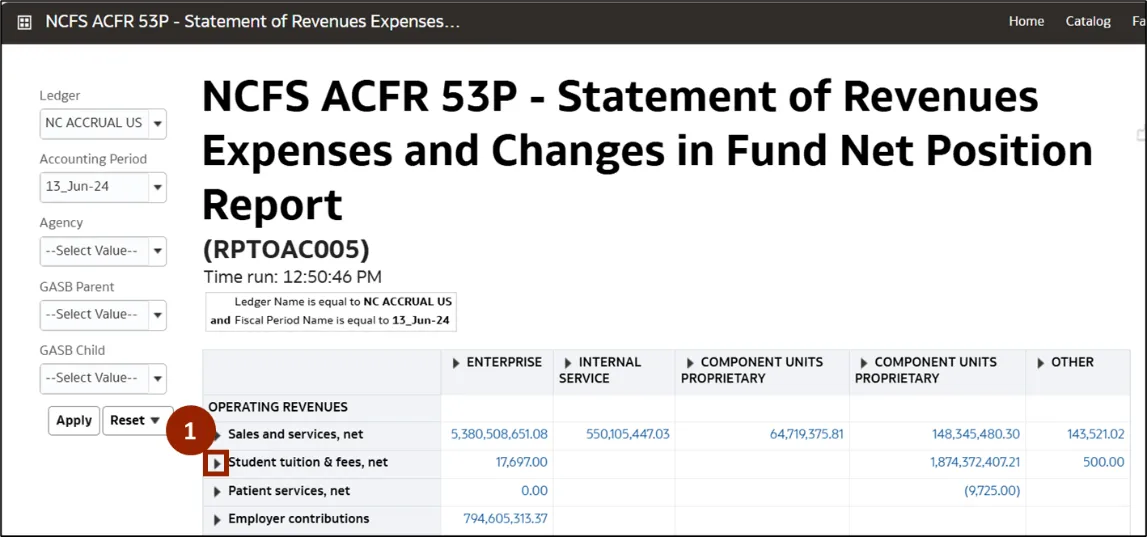
Step 1. To drill-down a report, navigate to the desired report. Click the Expand (caret) icon next to the desired accounts row or column to expand and view the child accounts.
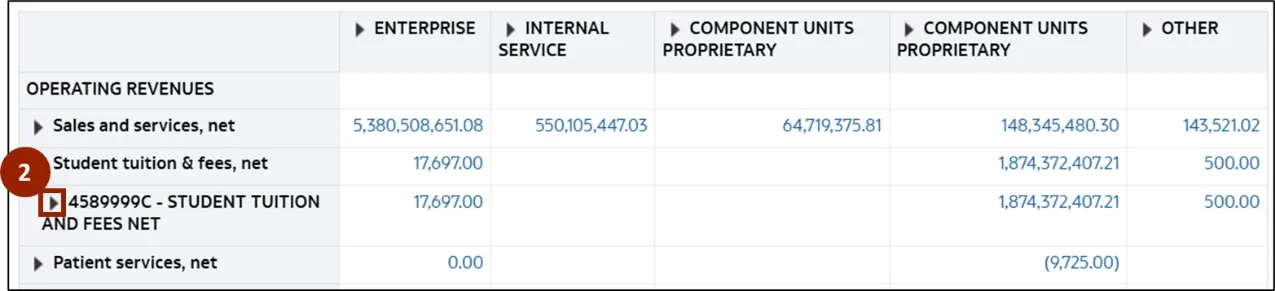
Step 2. Click the Expand (caret) icon next to the sub account to expand and display its child account details.
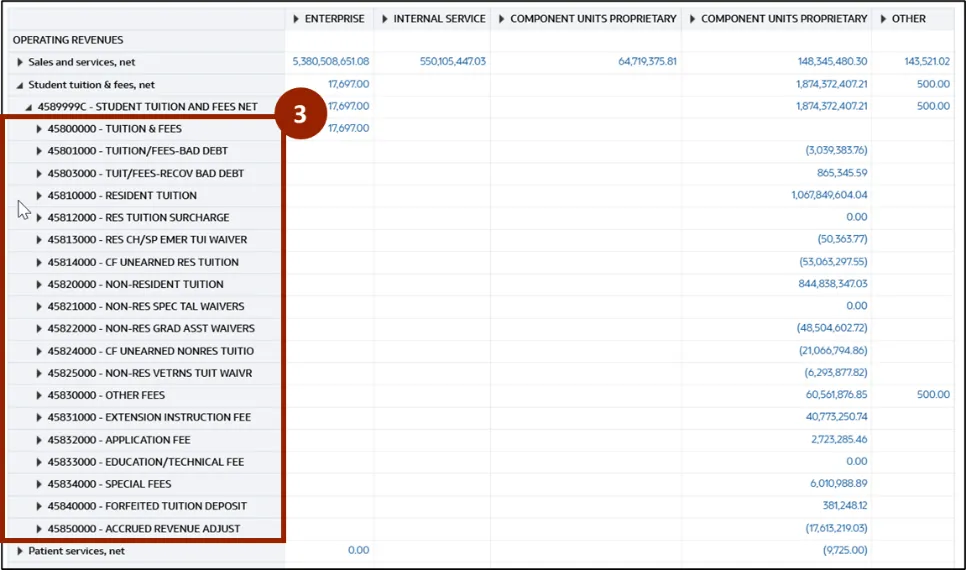
Step 3. The report now displays the lowest-level child accounts available under the selected account.
Note: The user can click the Expand (caret) icon to drill down to the lowest level and display further child account values.
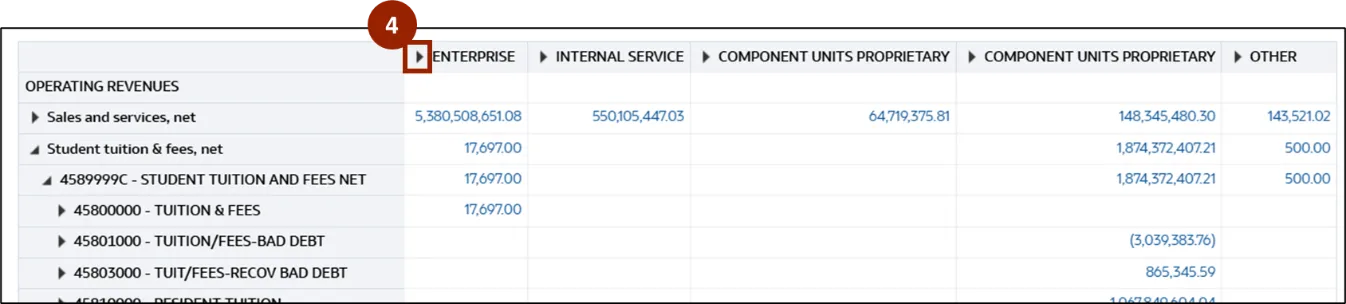
Step 4. Similarly, click the Expand (caret) icon next to the desired GASB category to expand and display the detailed child accounts under each reporting category.
Step 5. Click the Expand (caret) icon again next to GASB category to drill down further and display detailed child GASB within that reporting category. Continue drilling down the GASB category until the final level account details are displayed.

Step 6. The report now displays the lowest level of detail, listing each GASB category along with the corresponding balances.

Detailed Balance Drill-Down
The Detailed Balance Drill-Down enables users to trace summarized account balances down to journal-level details.
Follow the below steps to drill-down to detailed balance. There are 7 steps to complete this process.
Step 1. Navigate to the desired report and click the relevant amount to drill down and view the detailed journal entries.
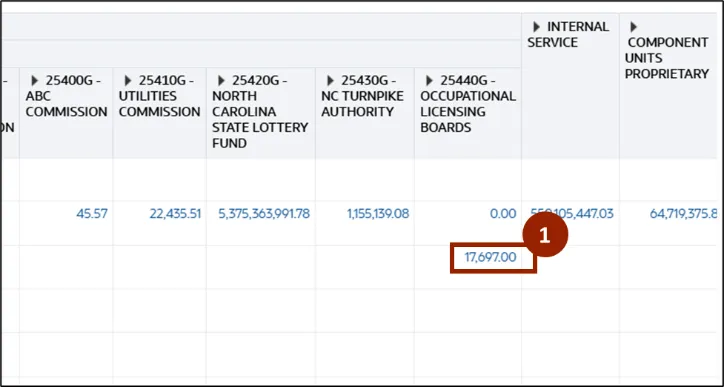
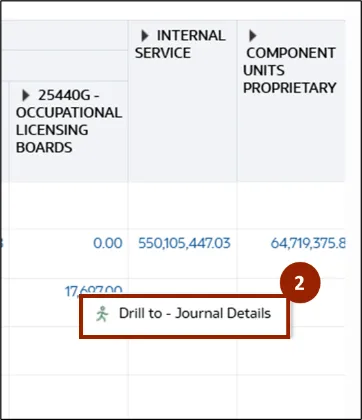
Step 2. Click Drill to – Journal Details.
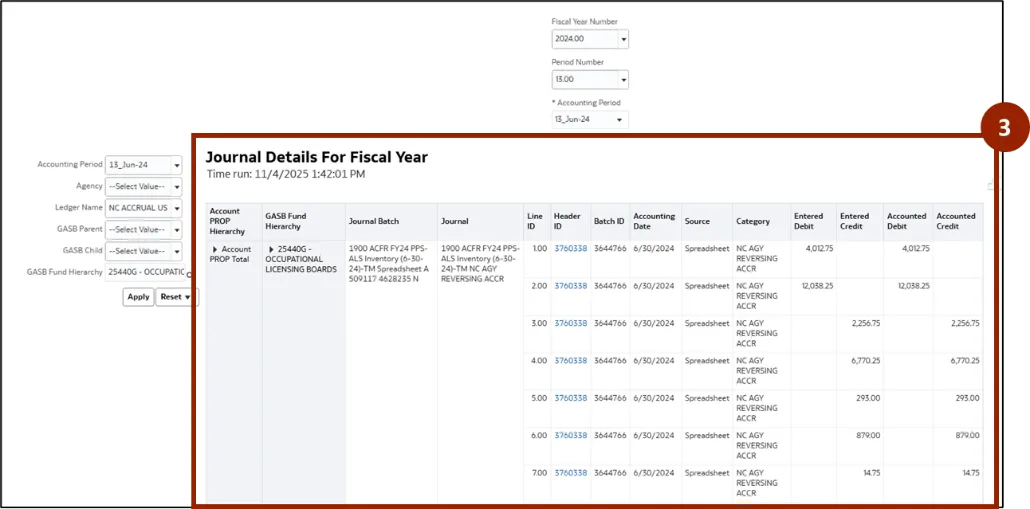
Step 3. The Journal Details page displays transaction-level information for the selected balance. Review and analyze the detailed journal entries contributing to the summarized amount.
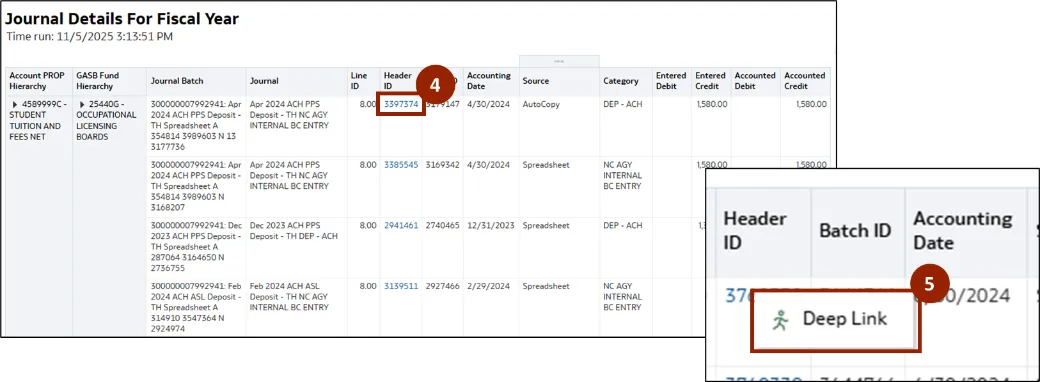
Step 4. Click the Header ID link to view the transaction details in NCFS.
Step 5. Click Deep Link.
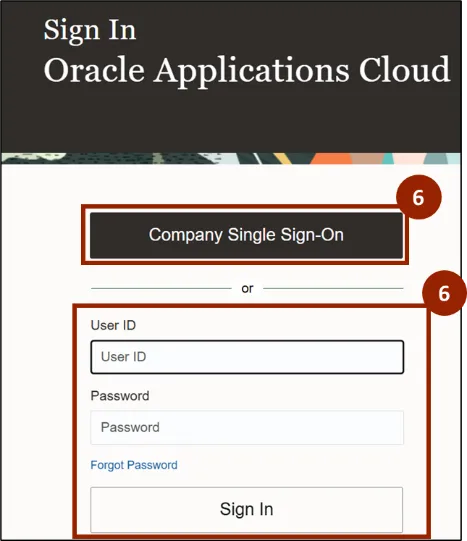
Step 6. The Oracle login screen for NCFS is displayed. Enter your User ID and Password or click Company Single Sign-On to log in with your organizational credentials.
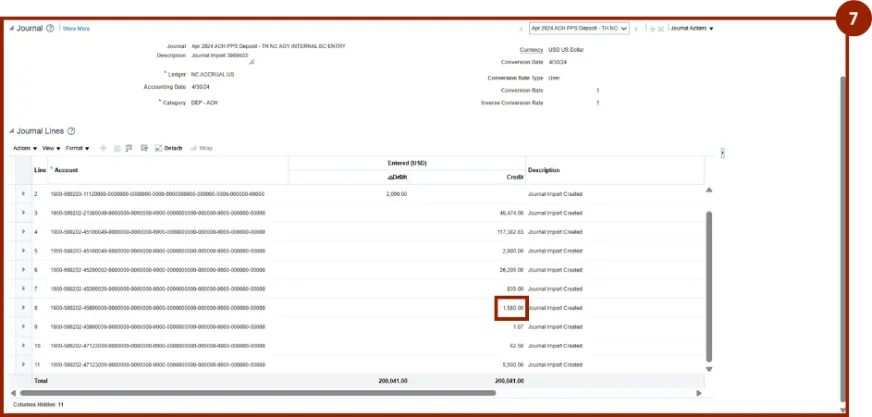
Step 7. The system navigates to the NCFS screen, displaying journal entry details that contribute to the selected amount.
Wrap-Up
OAC users can perform both report drill-down and detailed balance drill-down using the steps above. These features provide quick navigation through hierarchical data and easy access to detailed journal-level insights, supporting efficient and comprehensive financial analysis.
Additional Resources
- Virtual Instructor Led Training (vILT)