Purpose
The purpose of this Quick Reference Guide (QRG) is to provide a step-by-step guide of how to Calculate and Manage Tax in the North Carolina Financial System (NCFS).
Introduction and Overview
This QRG covers the process of Calculate and Manage Tax. This process provides information on applying methods to calculate and manage tax amounts on invoices accurately.
Calculate and Manage Tax
To approve expenses via the notification bell icon, please follow the steps below. There are 17 steps to complete this process.
Step 1. Log in to the NCFS portal using the Company Single Sign-On (SSO) button.
Step 2. Enter your @dac.nc.gov email address.
Step 3. Click Next, then enter your password.
NOTE: The system will automatically sign on using SSO and log in to NCFS. After the first login using SSO, future access may not require credentials. If SSO is not available, enter credentials manually within the Username and Password fields, then click Sign-In.
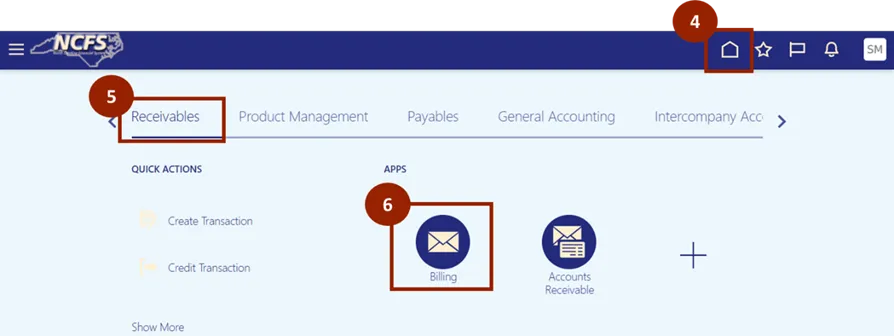
Step 4. Navigate to the Home page.
Step 5. Click on the Receivables tab.
Step 6. Click on Billing.
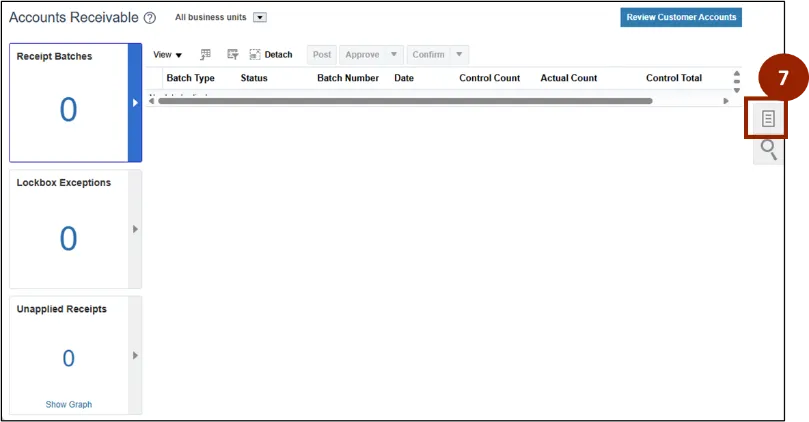
Step 7. On the Billing page, click the Task icon.
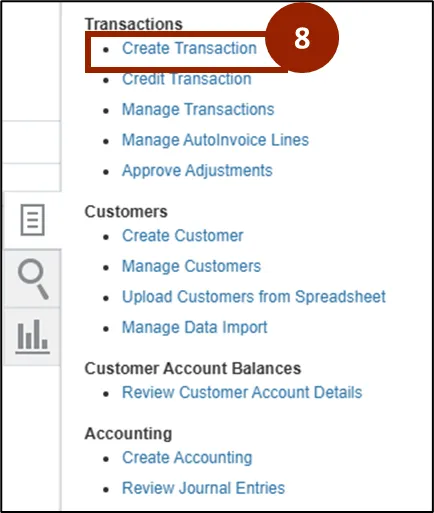
Step 8. Select Create Transaction.
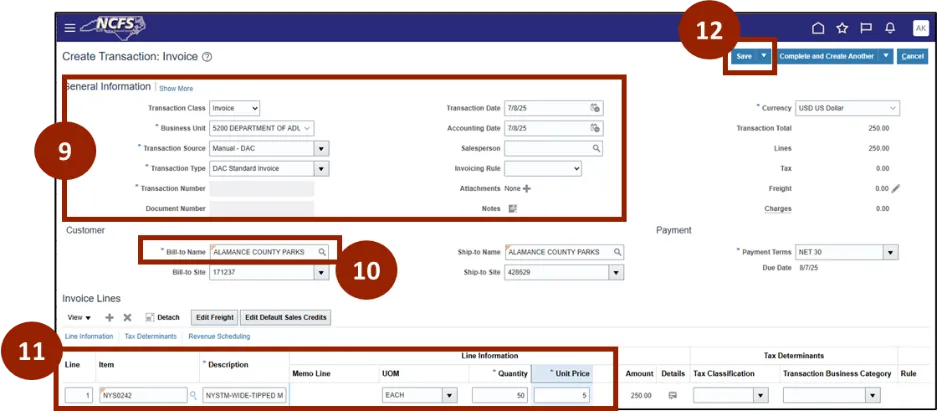
Step 9. In the General Information section, select the Business Unit, choose the Transaction Source and Transaction Type.
Step 10. Enter the Bill-to-Name, in the Customer section.
Step 11. In the Invoice Lines section, enter the Product or Service Name/Description, Unit of Measure, Quantity and Unit Price.
Step 12. Click Save.
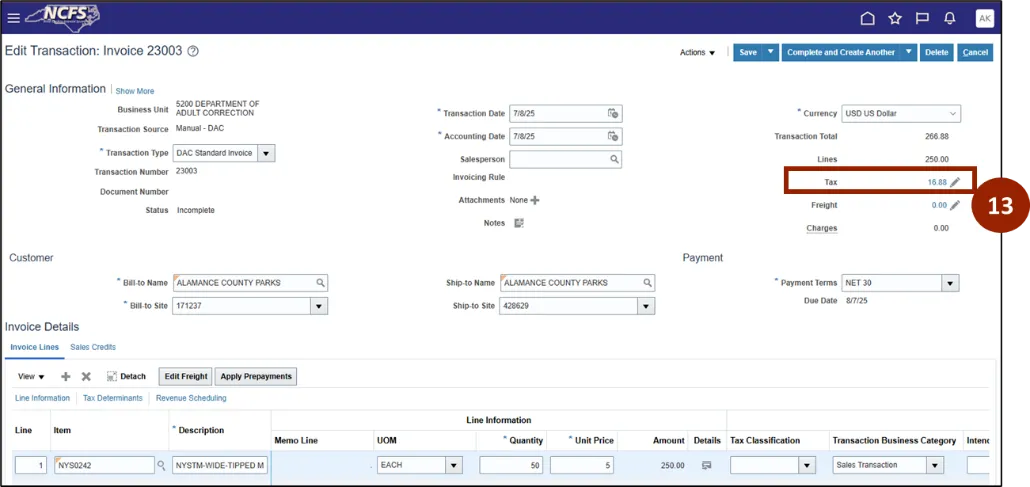
Step 13. Select the Tax amount hyperlink.
NOTE: NCFS automatically calculates applicable taxes based on customer location. The calculated tax appears in the Tax Details or Tax Summary section.
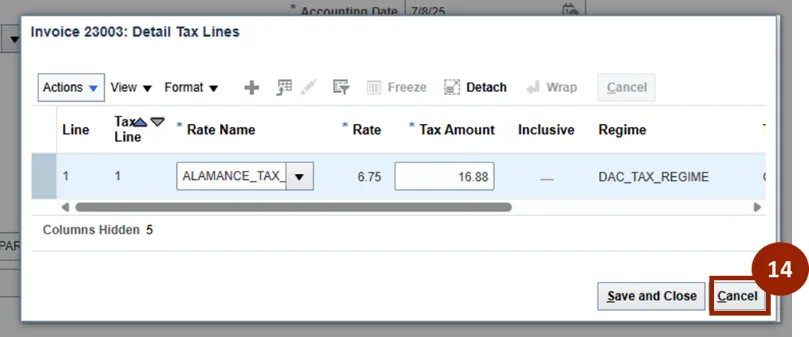
Step 14. Click Cancel.
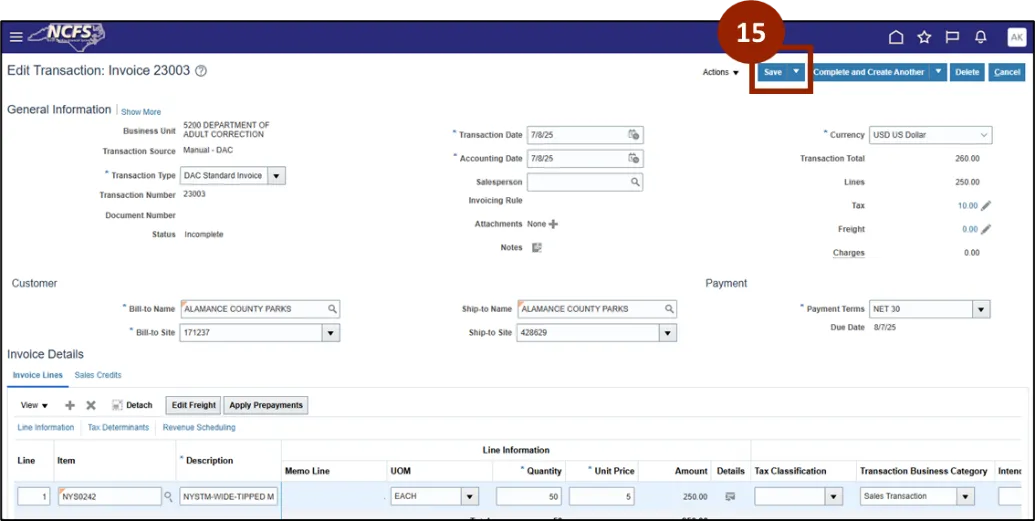
Step 15. Click Save to save the invoice draft.
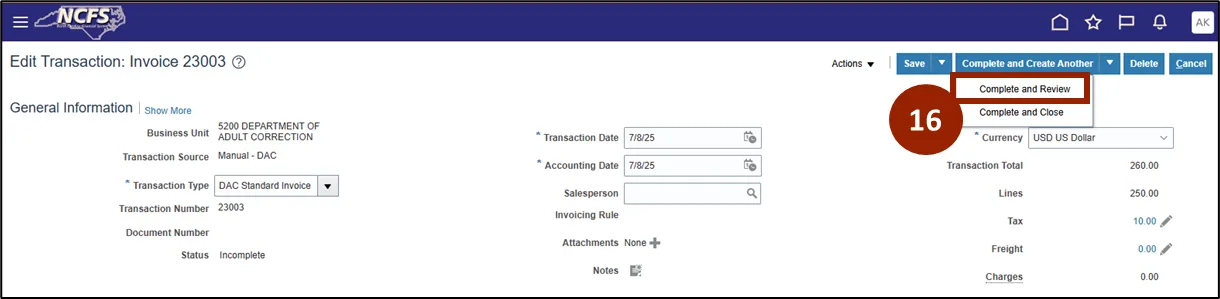
Step 16. Select drop-down and click Complete and Review.
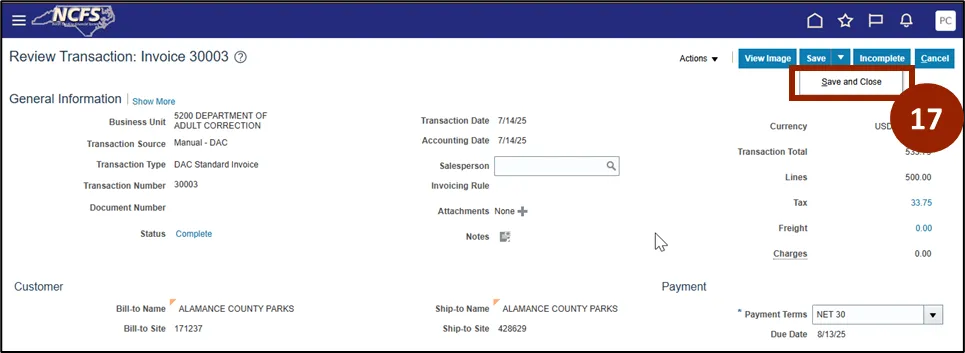
Step 17. Click the Save drop-down, then click Save and Close.
Wrap-Up
NCFS users can reference the Calculate and Manage Tax using the steps above.
Additional Resources
- Instructor Led Training (ILT)