Purpose
The purpose of this Business Process Procedure is to explain how to use the PT_ERL00 transaction Time Evaluation Messages to view any error messages for a group of employees in the Integrated HR-Payroll System.
Business Process Procedure Overview
One of the primary responsibilities of the Time Administrator will be to review the error log generated during Time Evaluation. This is accomplished via the Time Evaluation Error Messages transaction (PT_ERL00). It is a good practice to run this report on a weekly basis for the employees in an Agency or Organizational Unit(s).
Tip: Time Administrators can save time generating this report by setting up a Variant containing the Personnel IDs of the employees that they monitor in their Agency.
In this BPP, you will learn to report on time evaluation error messages. Access PT_ERL00 by entering the transaction code into the command field at the top left of the Easy Access screen.
Procedure
There are 6 steps in this process.
SAP Easy Access screen
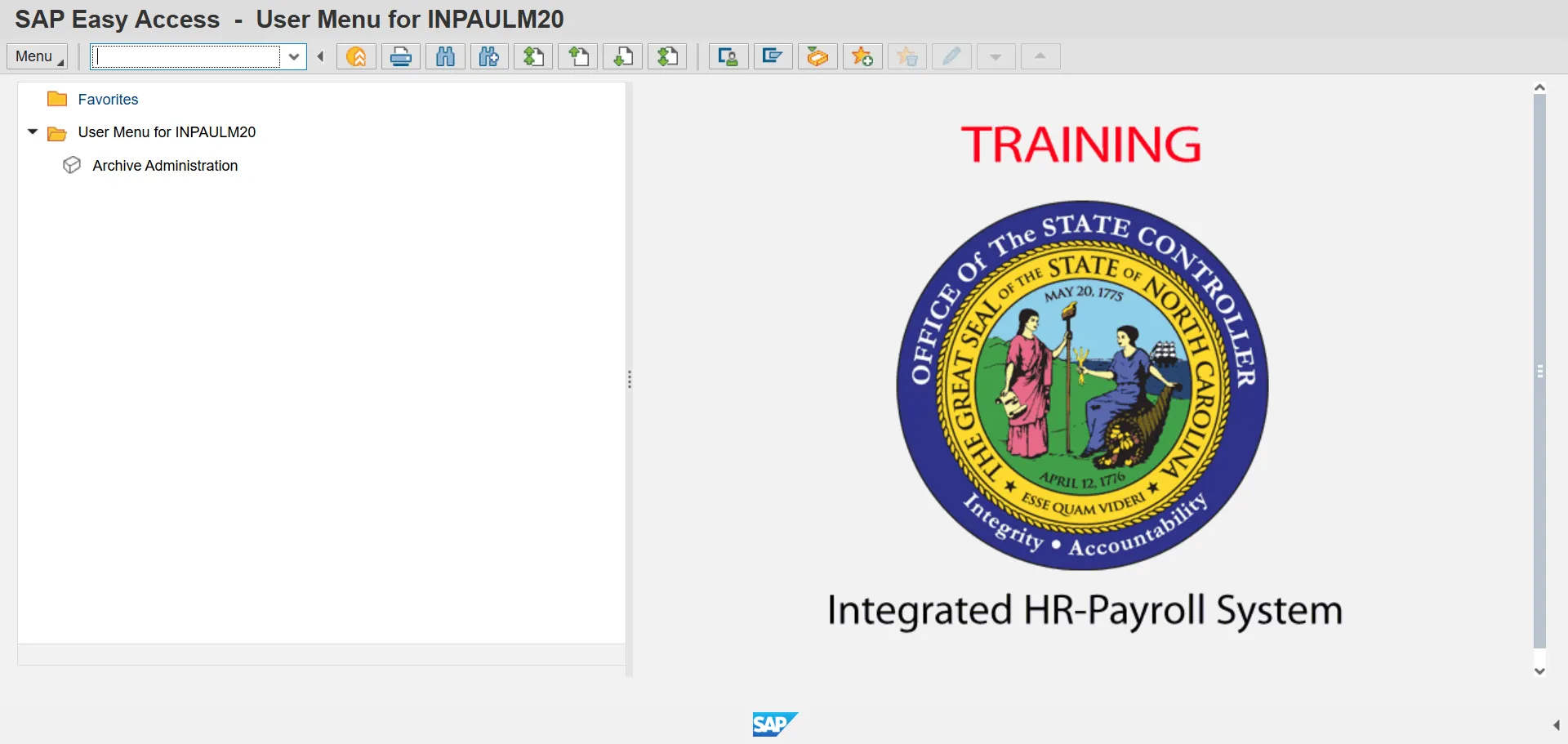
Step 1. Update the following required and optional fields:
- Command Field (example: PT_ERL00)
Step 2. Click Enter.
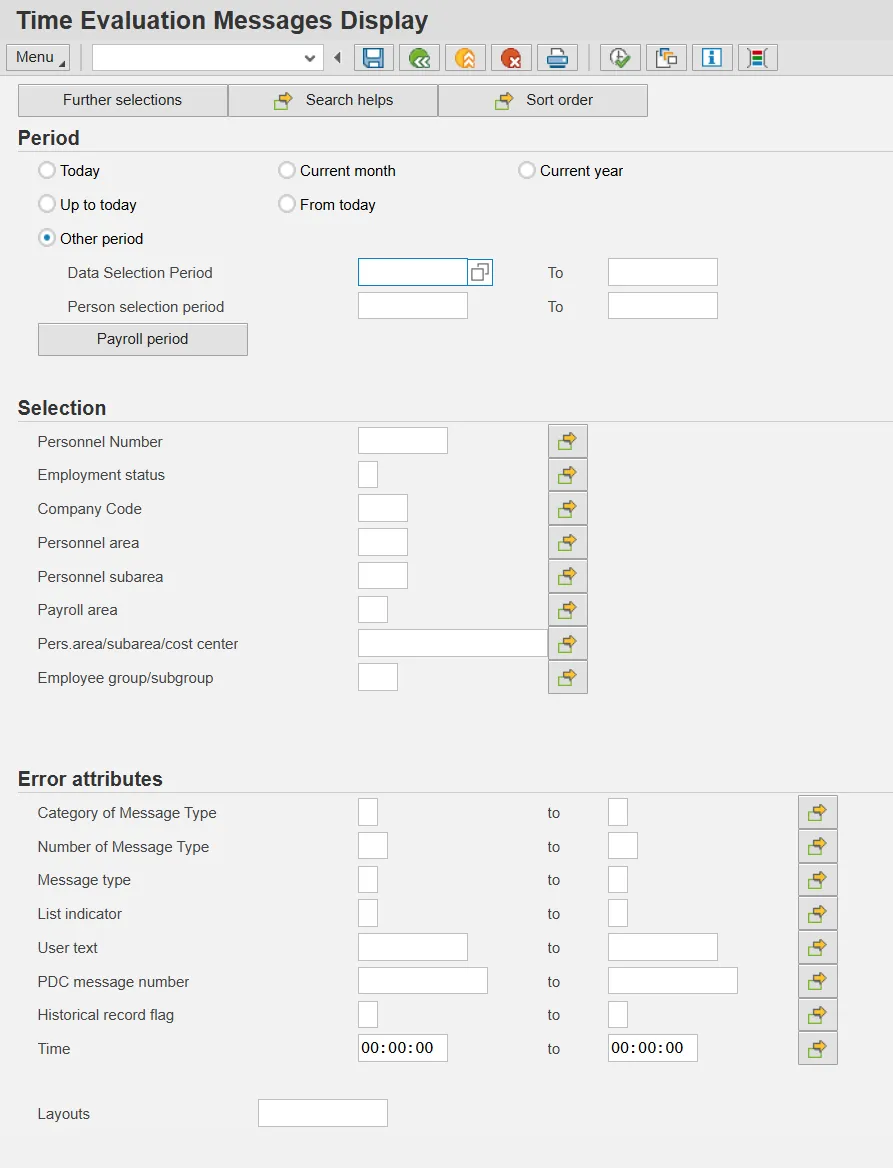
Note: If running the report by Organizational unit, select the Further selections button at the top of the screen and move Organizational unit to the Selection fields.
Step 3. Click the Continue button (green check).
Note: If you desire to run the report for a selected time period, select the Other period radio button and key the desired date range in the Data Selection period and Person selection period fields.
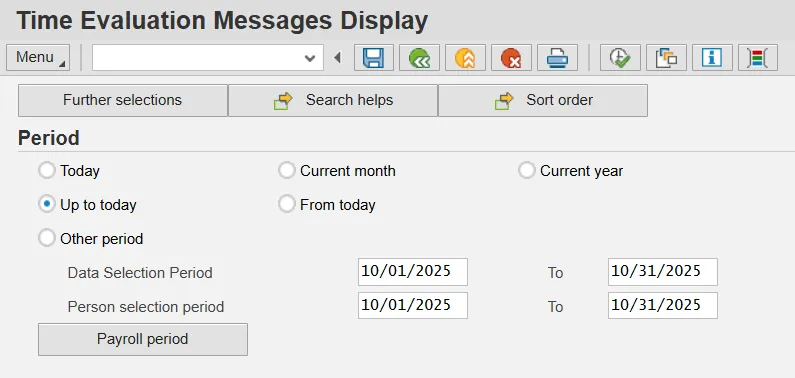
Note: If the Person selection period is left blank, the report could return employees not in the personnel area or organizational unit for the date range provided in the Data Selection Period.
Step 4. Select the desired message type for reporting. To see only red (or hard stop) errors, select ‘E’ in the Message type field. To see yellow (or warning/informational) errors in addition to the red errors, leave the field blank.
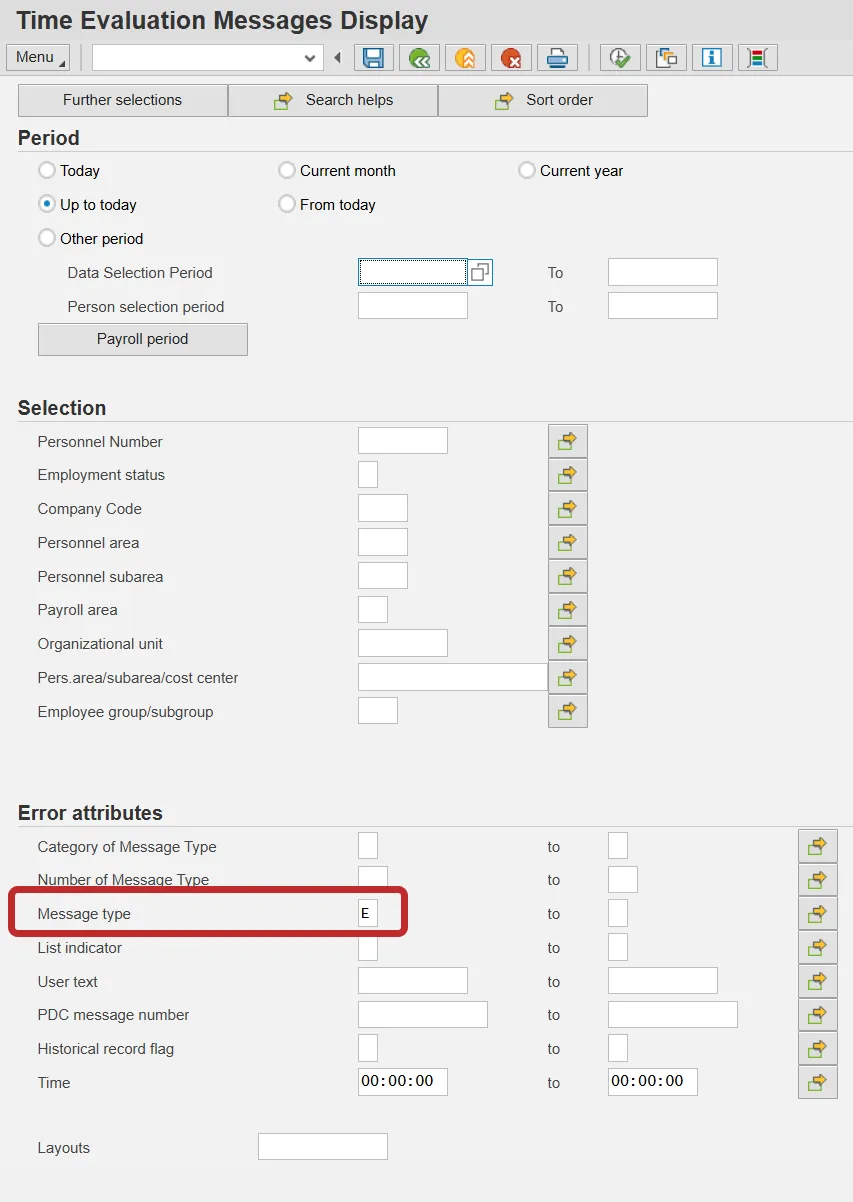
Step 5. Click Execute (F8) button.
Time Evaluation Messages Display
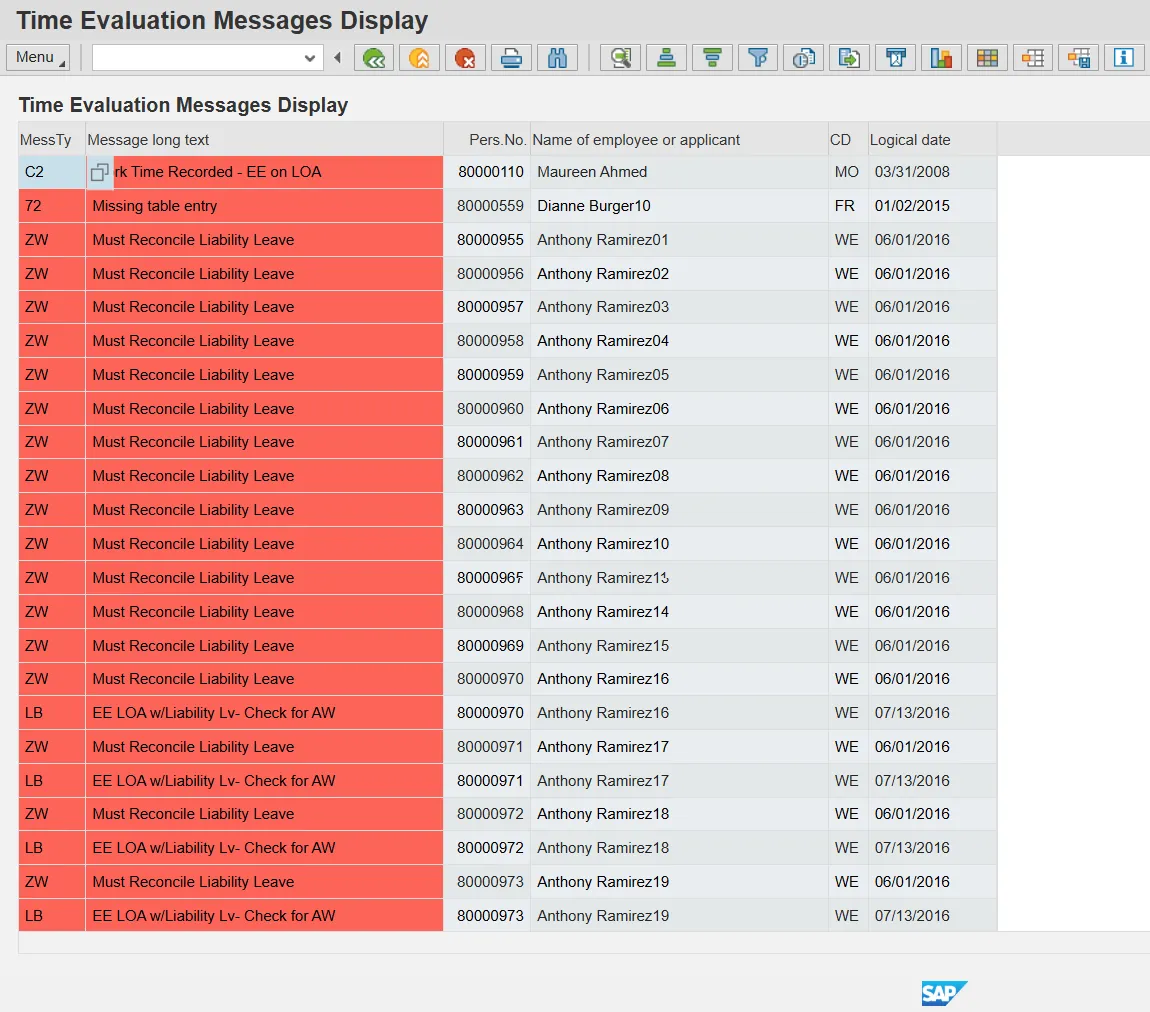
Note: Org Unit Title field is available on the PT_ERL00 Report-Time Evaluation Message Display. To add the field to an existing variant or report, select the Change layout icon and move Object Name from Column Set to Displayed Columns. Click Save to Save as a variant or click Transfer to continue.
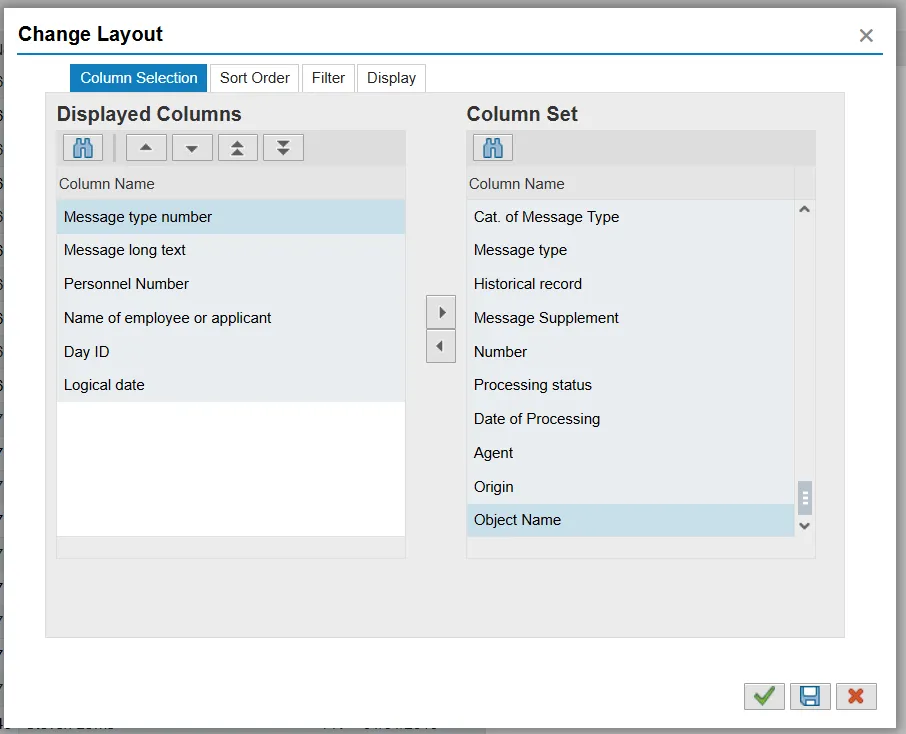
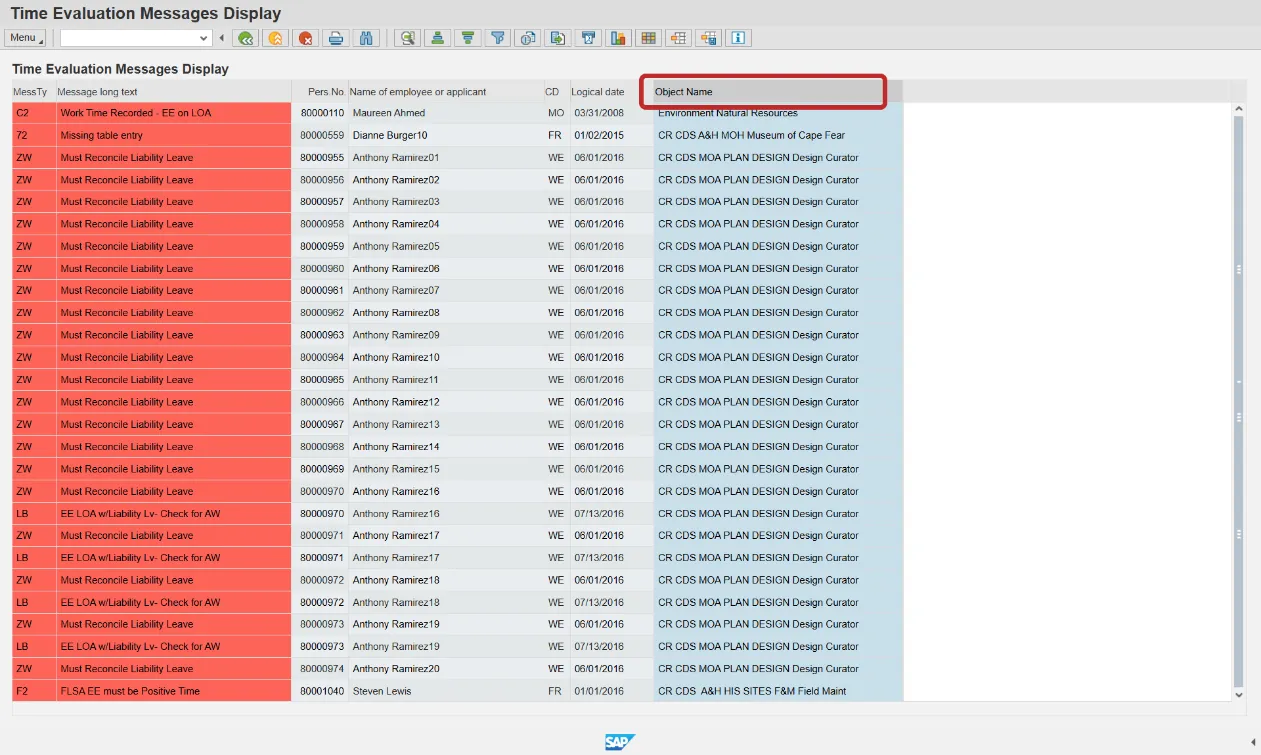
Note: The new Object name field can be sorted and filtered just like the other columns.
Step 6. Click Back (F3) button until you return to the SAP Easy Access Menu.