Purpose
The purpose of this Business Process Procedure is to explain how to create an Infotype 696 (IT0696) eligibility record in the Integrated HR-Payroll System for a recipient employee who has been approved to participate in the Voluntary Shared Leave (VSL) program to receive leave donations.
Business Process Procedure Overview
The State of North Carolina has a policy that permits an employee to receive leave donations from other employees provided that the employee has been approved to participate in the Voluntary Shared Leave (VSL) program. An employee who receives leave donations can then use the shared leave when recording A/A code 9200 after the recipient employee exhausts their own leave balances.
This BPP will describe creating a Received Shared Leave eligibility record.
Note: If processing Received Shared Leave across agencies, a ticket should be submitted to BEST@ncosc.gov for assistance by the receiving agency.
Once an employee is approved for Voluntary Shared Leave, you will create an eligibility record that enables the employee to receive leave donations using Infotype 696 (IT0696) The Absence Pool. Even though the infotype name references absence pools, the functionality in the Integrated HR-Payroll System (based on OSHR Voluntary Shared Leave policy) will allow only direct employee-to-employee leave donations. There is a single subtype of IT0696 that is relevant to Received Shared Leave eligibility: Foreign Pool (Subtype F). The Foreign Pool subtype creates a generic eligibility record for the employee.
Once an employee is eligible and has a Received Shared Leave quota to accept donations, you may process donations following the steps outlined in the TM-51 Received Shared Leave (Donor) BPP.
There is a single subtype of IT2006 that is relevant to the quota for Received Shared Leave: Received Shared Leave (subtype 80). A separate Received Shared Leave quota (Quota type 80) is created in the backend for the employee when donations are processed via the Absence Donation Administration (IT0613). When the VSL recipient employee records Absence type 9200 on their timesheet, the Received Shared Leave quota is reduced only after all the recipient employee’s own leave quotas have been exhausted.
Access Transaction
Via Transaction Code: PA61
Create IT0696 Eligibility Record
There are 9 steps in this process.
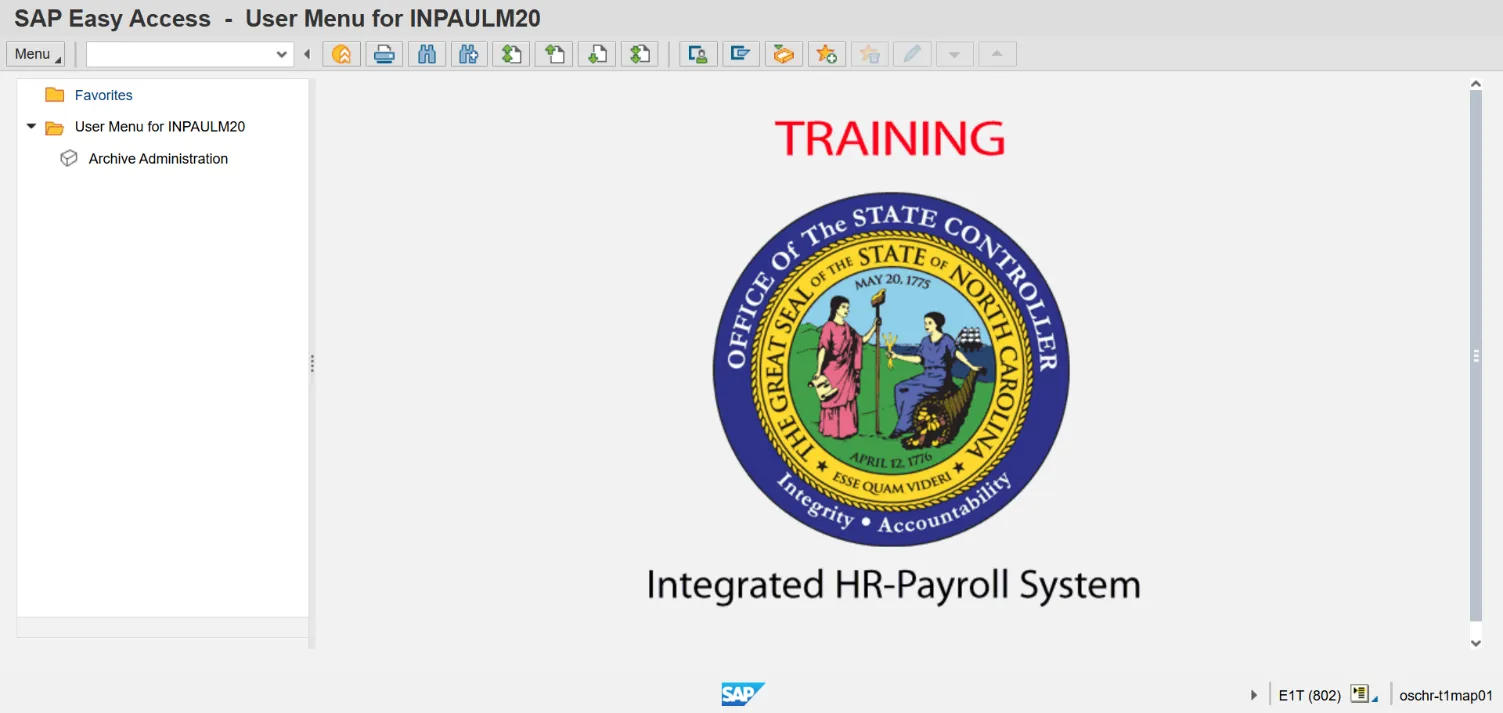
Step 1. In the Command field in the upper left corner of the screen, enter PA61 to open the Maintain Time Data transaction and click the Enter button to the left of the Command field or click Enter on your keyboard. Or, if you have previously added this transaction to your Favorites folder, double click PA61.
Step 2. Enter the recipient employee’s personnel number in Personnel no. field and click Enter on your keyboard. Example: 80000715.
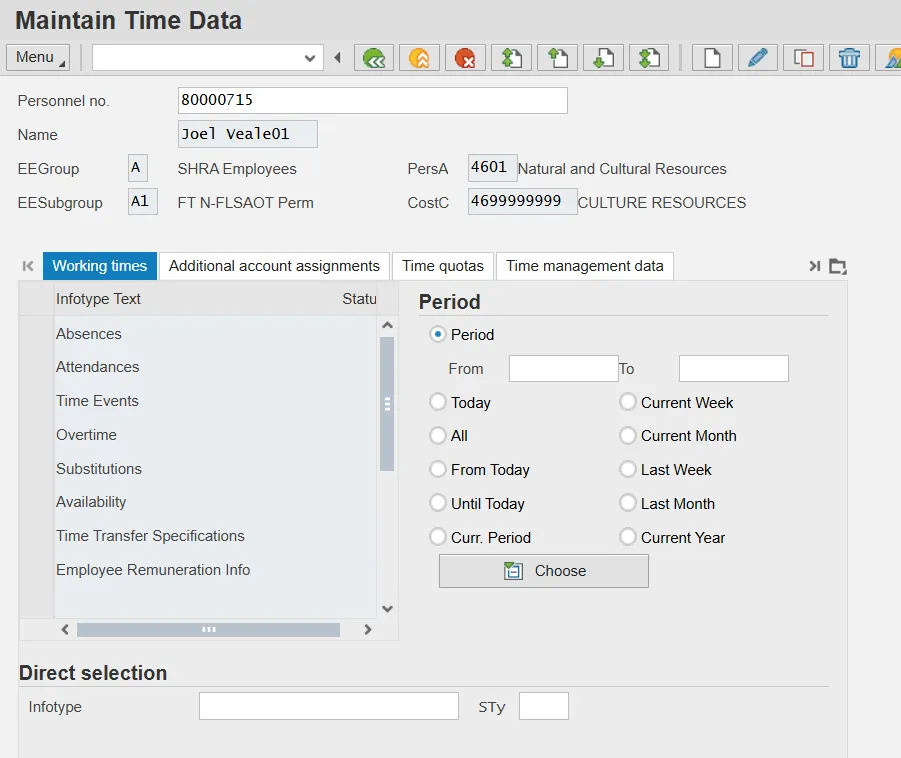
Step 3. In the Period selection area on the right, enter the effective date of the received shared leave donation in the From and To fields. The From field will default to the current date, but the date may need to be edited. Example: From 10/14/2025 To 11/30/2025
Note: The Period From and To dates should reflect the time period that an employee is eligible to receive leave donations according to their agency's Voluntary Shared Leave policy. The recipient employee will be able to receive donations only within this period. Should the agency agree to extend the donation period, the eligibility record can be maintained to reflect the extended dates.
Note: High date should never be used.
Step 4. In the Direct Selection area at the bottom, enter 696 in the Infotype field and click Enter on your keyboard. You will see Absence Pools displayed.
Step 5. Then, enter F in the STy field and click Enter on your keyboard. You will see Foreign Pool displayed.
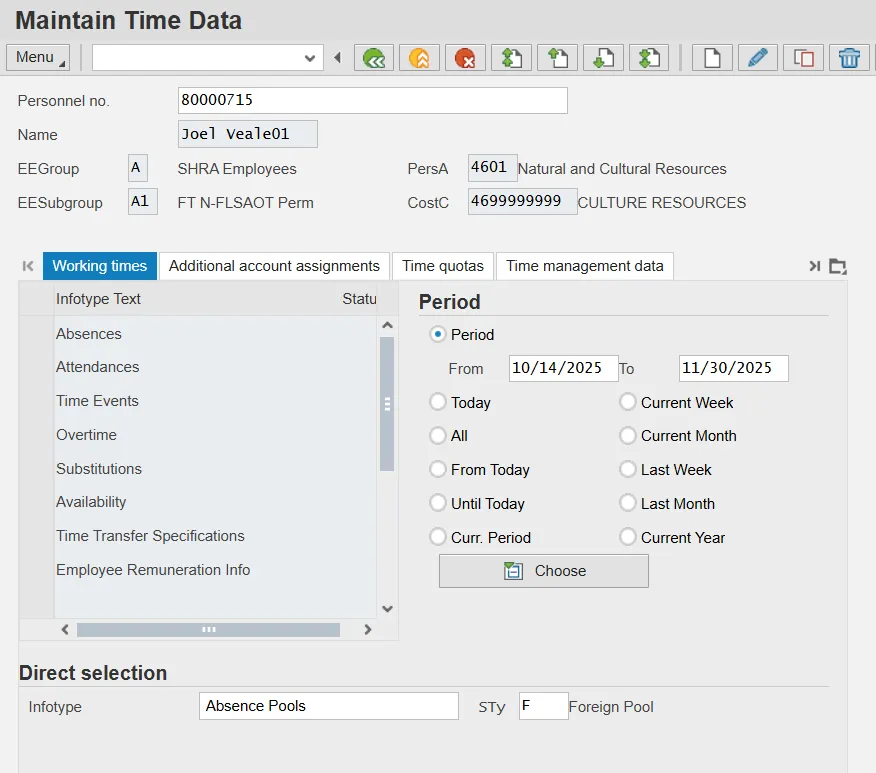
Step 6. Click the Create button (F5).
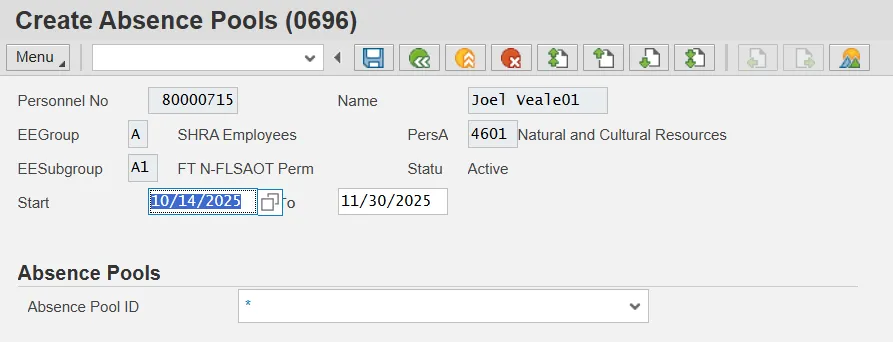
Step 7. Click the Absence Pool ID drop-down list.
Step 8. Select VSL Voluntary Shared Leave in the list box.
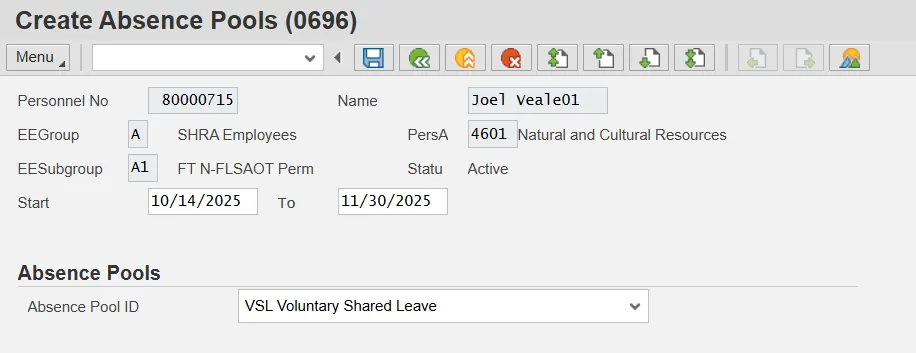
Step 9. Click the Save button (Ctrl+S).
Important Notes
When employees donate leave to the recipient via the IT0613 record, the Integrated HR-Payroll System will generate a Quota Corrections (IT2013) record automatically which will increase the recipient employee’s Received Shared Leave quota (Quota Type 80). The donated leave will be available to the receiving employee the day after the effective date (Start/End dates) once the nightly Time Evaluation program has processed the donation.
In the event that the medical condition expires prior to an employee's Received Shared Leave quota being exhausted, unused VSL donations must be returned to the donor(s) in accordance with OSHR Voluntary Shared Leave policy. An IT2013 Quota Corrections record must be created for any or all of the donations unused by the recipient.
Each agency will manage pro-rated leave returns internally if the donor belongs to the designated agency. If donors exist outside of the recipient’s agency, a ticket should be submitted to BEST Shared Services for donor return processing. The following information should be included on the request for BEST:
- Donor information
- Leave type
- Amount to be returned