Purpose
The purpose of this Business Process Procedure is to explain how to display position cost distribution information on a position in the Integrated HR-Payroll System.
Trigger
Cost distribution information on a position is needed.
Business Process Procedure Overview
The Funding Approver is responsible for updating and maintaining Infotype 1018 (Cost Distribution infotype) and Infotype 9018 (Budget infotype). The Funding Approver is responsible for approving funds for positions.
Tips and Tricks
See the OM Tips and Tricks Job Aid for a full listing of Best Practices and Tips & Tricks. The job aid is located on the Training HELP website.
- Copy is to be used most of the time. This will delimit the existing record and create a new record with the start date given. Copying keeps a history of the old record.
- Change is to be used only if you make a spelling or other simple error and want to change the record. There is no history tracked on what the record used to be if you use the change functionality.
Access Transaction
Via Menu Path: Your menu path may contain this custom transaction code depending on your security roles. SAP menu > Human Resources > Organizational Management > Expert Mode > PO13D – Position
Via Transaction Code: PO13D
Procedure
There are 8 steps to complete this process.
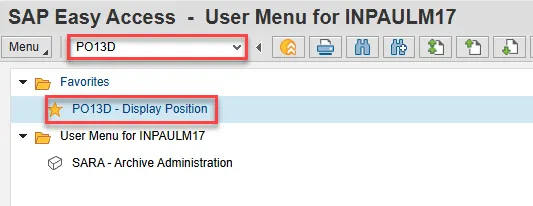
Step 1. Type PO13 in the command field (1). Hit enter on your keyboard (2). Also, you can double click it from your favorites folder if you’ve previously saved it there.
Step 2. Input the position number that needs updating. This document will use 60087096 from the OSC training environment.
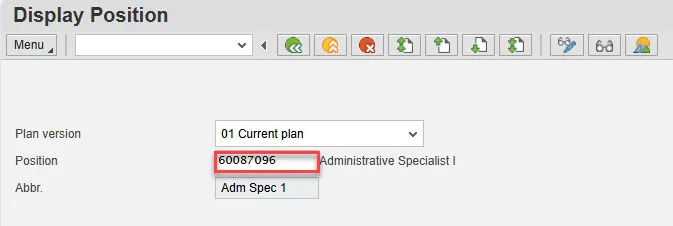
Step 3. Click Enter and verify the position displayed is the one you need to display.
Alert! Be vigilant on this step. A position number may already be present when you access the transaction, so be sure to review the position number and name to ensure they are correct.
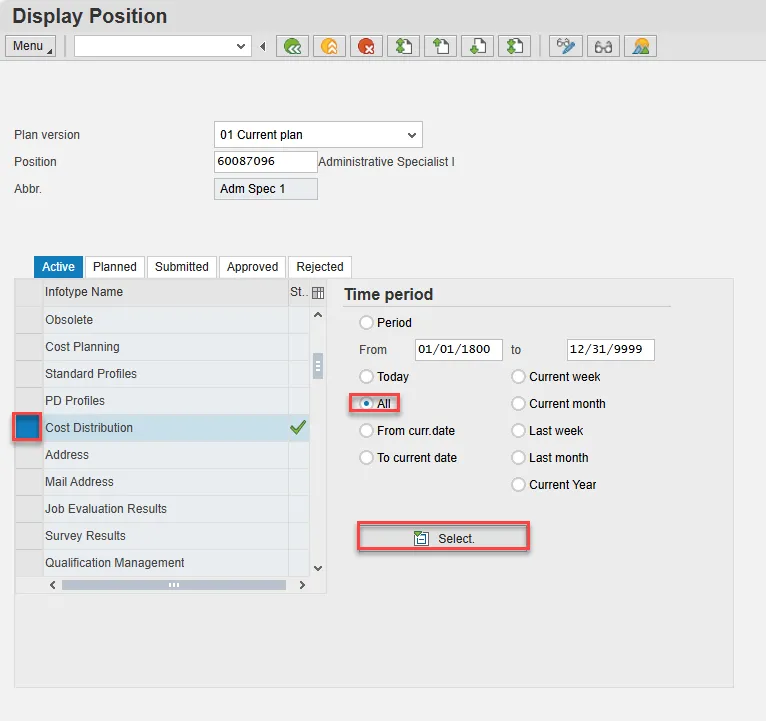
Step 4. Within the Active tab:
- Scroll down the list of position infotypes and click the square in front of the Cost Distribution row.
- In the Time Period area click into the All radio button and then click Select.
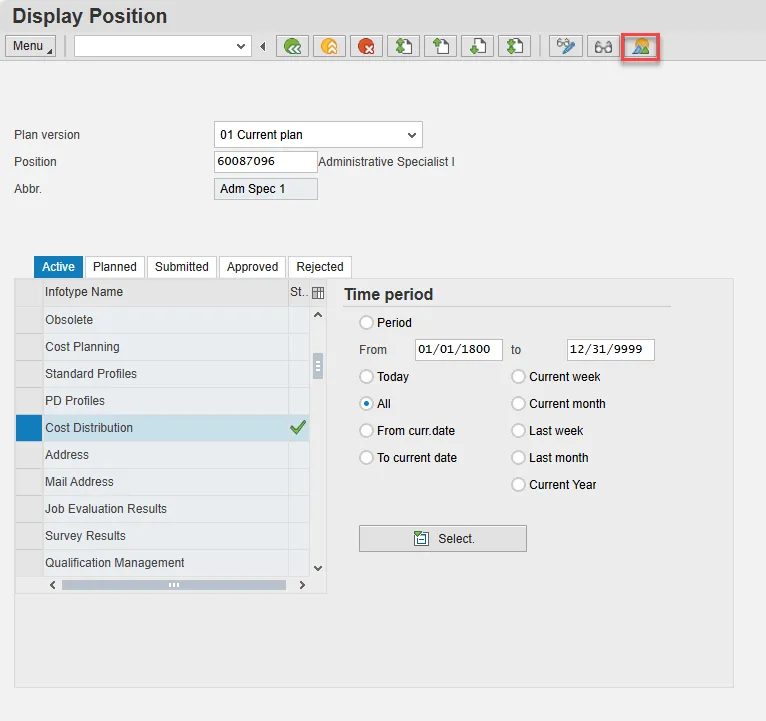
Step 5. Click the Overview button.
Step 6. A list of all Cost Distribution infotypes will be displayed with the current one being at the top of the list and having an end date of 12/31/9999. Click on the record you wish to review and then click the Choose button.
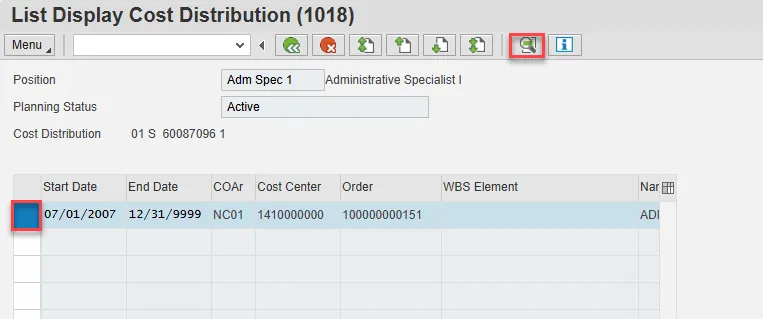
The Cost Distribution information is displayed. Remember to scroll to the right if needed to view all the information.
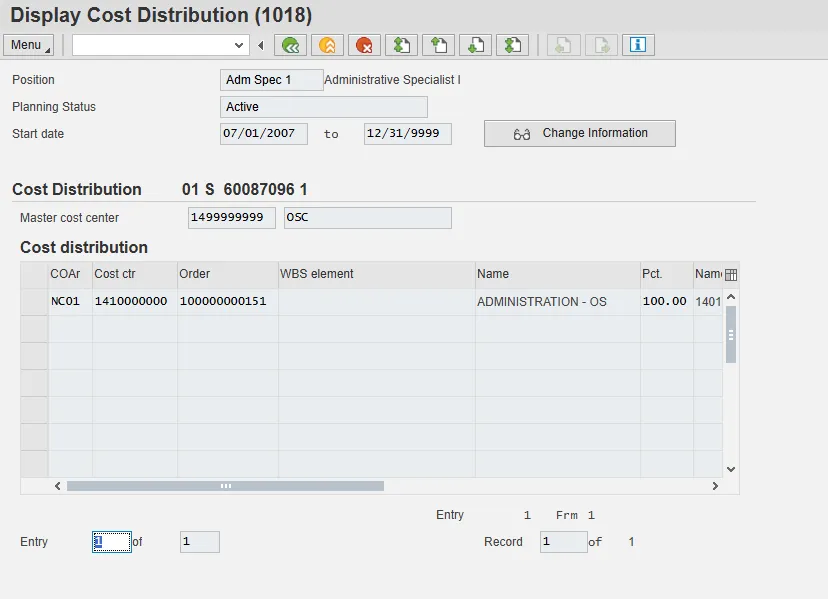
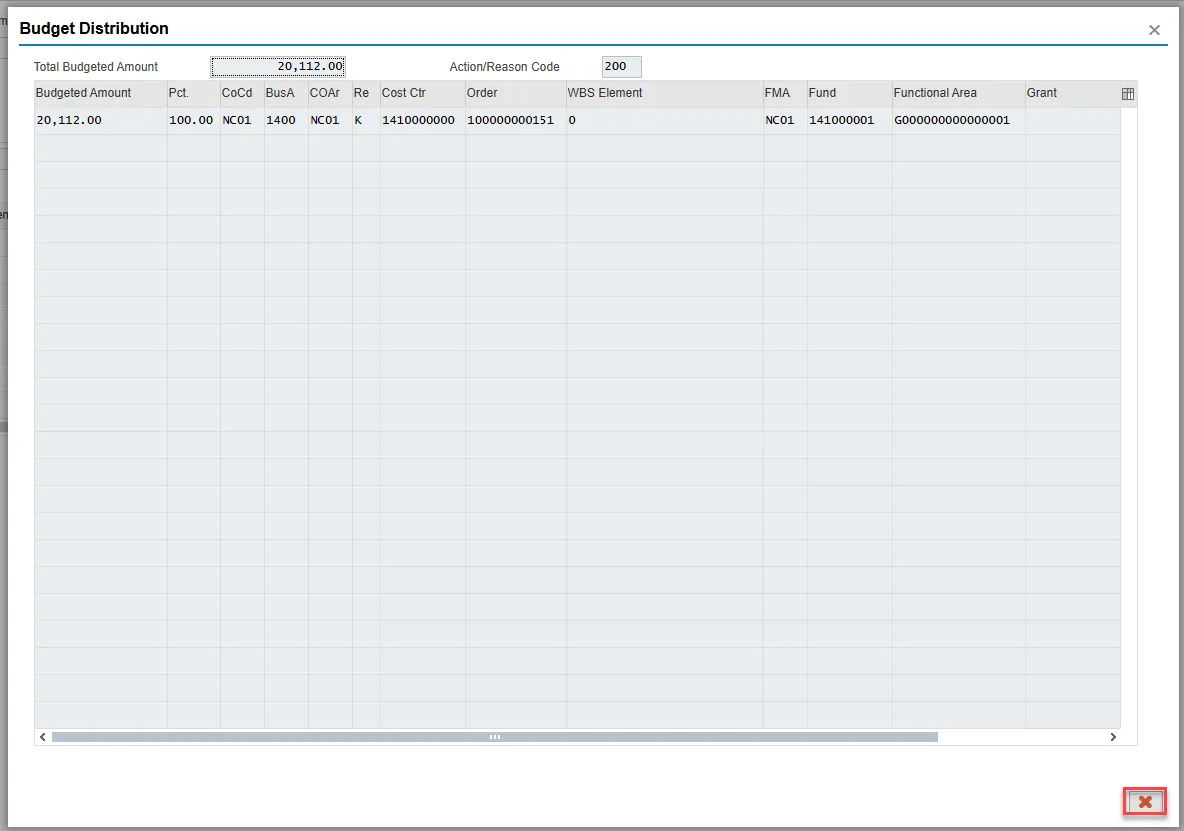
Step 7. Optional: If you wish to view the budget distribution information for the position (including the Total Budgeted Amount), click Enter on your keyboard.
The Budget Distribution information is displayed, including the Total Budgeted Amount and the Action/Reason Code for the change to the record. When your review is complete, click the Cancel button to return to the Cost Distribution screen.
Step 8. When your review of the data is complete, click the back button to return to the SAP easy access screen.
The system task is complete.