Purpose
The purpose of this job aid is to explain two hold indicators that have been added to IT1007 (Display Vacancy) in PO13 and PO13D—OSHR Hold on position and Agency Hold on Position.
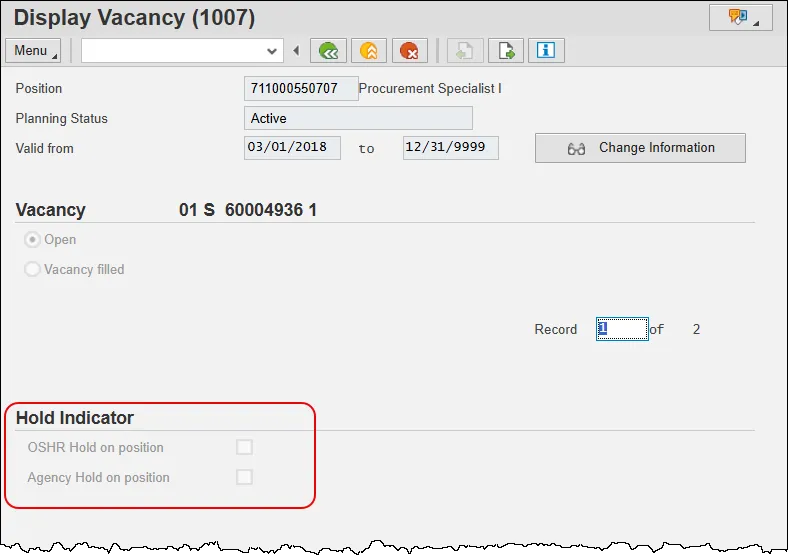
When active, the hold indicator will cause the position to be frozen in Workday, which prevents a job requisition from being created against it. To mark a position with an active hold indicator, the end-user will:
- Copy the previous IT1007 record,
- Change the “Valid from” date to the applicable date, then
- Click the desired indicator box. This will place a check mark in the box.
- Green check, then save the record.
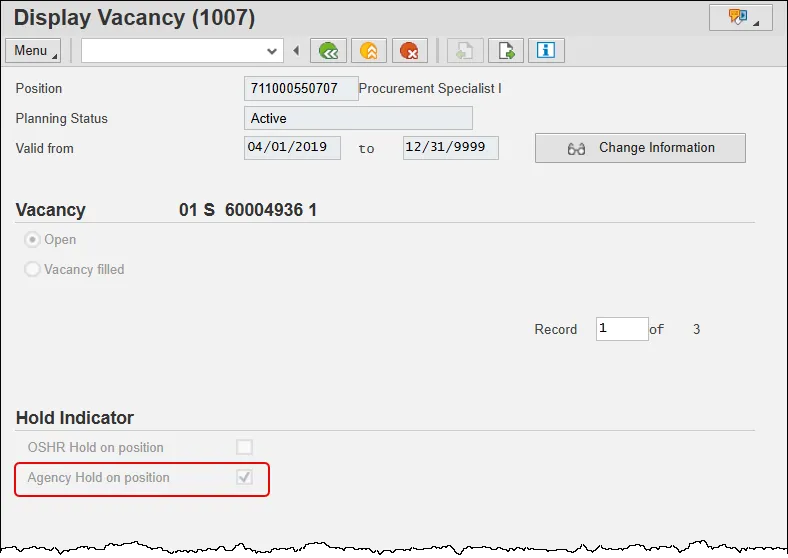
The nightly feed from the Integrated HR/Payroll System will submit the hold indicator to Workday, which will mark the position as frozen. The position will not be available for creating a job requisition in Workday, nor will any staffing actions (Change Job, Hire) be allowed against the position on or after the effective date of the hold/freeze as long as the position remains frozen in Workday.
To remove the hold indicator, the end-user will:
- Copy the previous IT1007 record,
- Change the “Valid from” date to the new applicable date, then
- Click the desired indicator box to remove the check mark.
- Green check, then save the record.
Note: The OSHR Hold indicator can be added and removed by OSHR only. The Agency Hold indicator can be added by Agency users with access to IT1007 in PO13.