Purpose
The purpose of this Report Description is to explain how to generate information on outstanding liability leave in the Integrated HR-Payroll System.
Report Description
This report displays outstanding Liability Leave. Columns represent each future month, and the total number of hours set to age out in that month per employee. Users have the ability to display hours by day for a more detailed report.
Report Location
PT: Comp and Liability Aging
Report Uses
Agencies use this report to help determine when Liability Leave is going to expire. This will assist Agencies with either scheduling EE to make up time or create an IT2012 to repay liability using approved leave or LWOP. If liability ages out, EE will no longer process in time evaluation.
How to Generate This Report
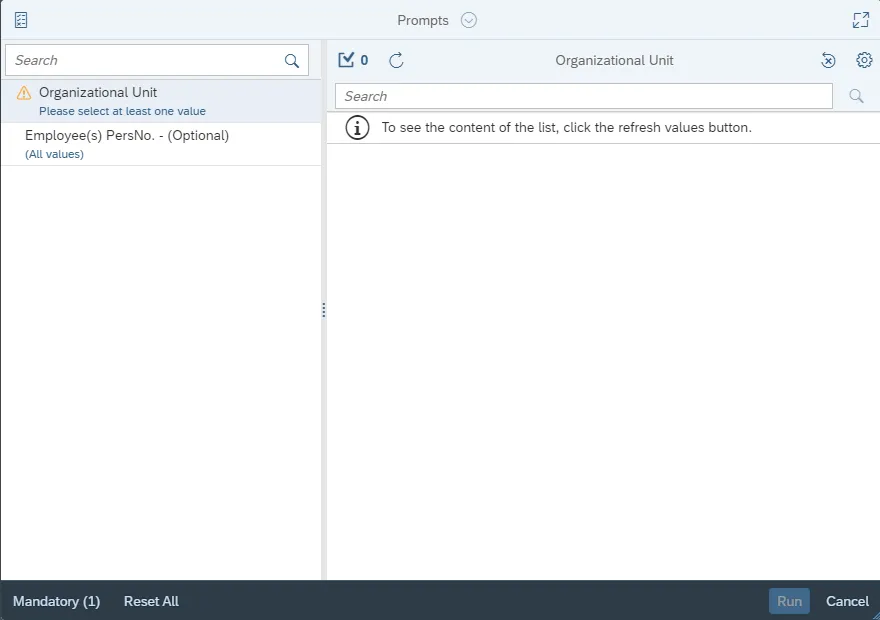
This report is generated after selecting values for the mandatory prompts. All mandatory prompts must have values selected before the Run Icon can be used to generate the report. Mandatory prompts can be identified as mandatory by the exclamation mark inside of the yellow-orange triangle, the square with the checkmark, or the display of (Mandatory). Detailed instructions for interaction with each prompt can be found on the Web Intelligence Prompt List on the OSC website.
The Mandatory prompts for this report are:
- Organizational Unit
This report can also be further limited by utilizing the Optional prompts to further limiting the amount of data that retrieved into the body of the report. Optional prompts are indicated as optional in parentheses beside the prompt.
The Optional prompts are:
- Employee(s) PersNo. - (Optional)
Initial Layout
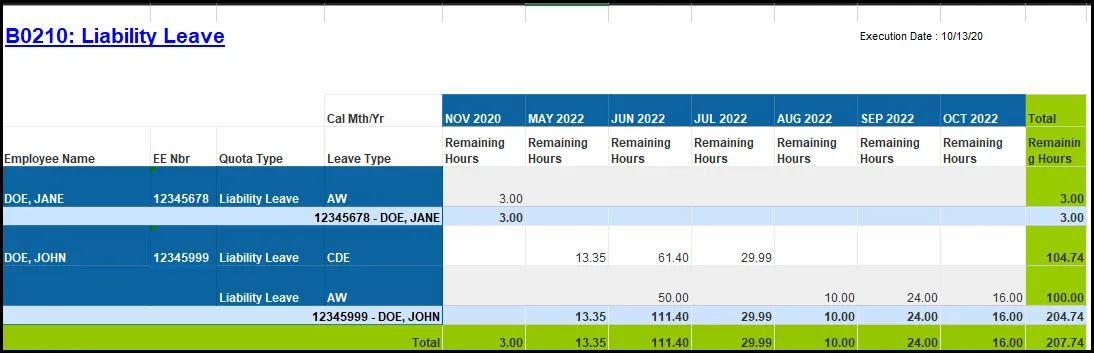
The report has two report tabs. Below is a sample rendering.
B0210 Liability Leave
This report lists liability leave hours remaining for each employee. Each employee number is subtotaled before the grand total of the remaining hours at the bottom of the report.
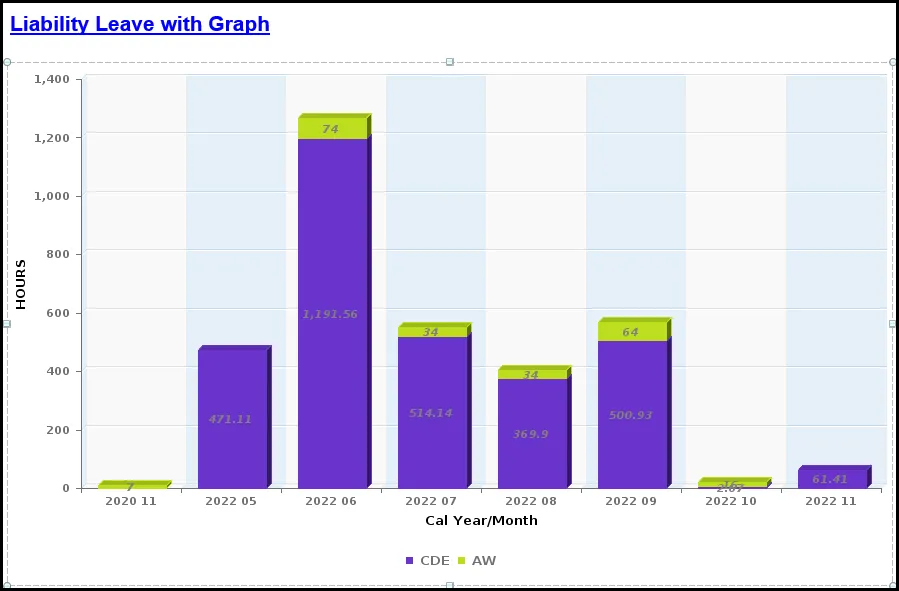
Liability Leave with Graph
This report graphically represents hours expiring by month. Month period in YYYY MM format.
Available Objects
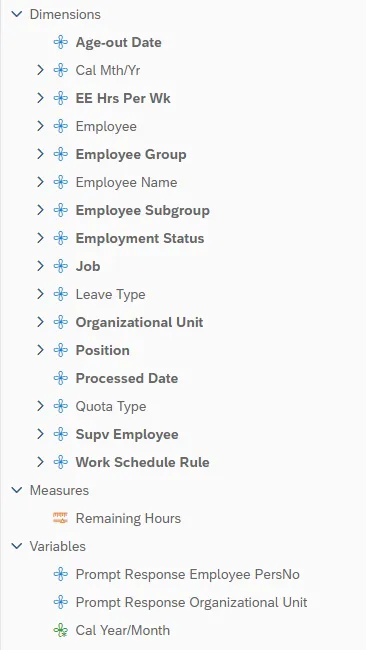
This is a list of the available objects that can be added to the report, from the Document Dictionary once in the Design mode:
Dimensions
- Age-out Date
- Cal Mth/Yr
- EE Hrs Per Wk
- Employee
- Employee Group
- Employee Name
- Employee Subgroup
- Employment Status
- Job
- Leave Type
- Organizational Unit
- Position
- Processed Date
- Quota Type
- Supv Employee
- Work Schedule Rule
Measures
- Remaining Hours
Variables
- Prompt Response Employee PersNo
- Prompt Response Organizational Unit
- Cal Year/Month
Special Report Considerations/Features
- Report only shows liability leave quota from infotype 9901, subtype 7000.
- Report indicates the hours aging out over next 90 days starting from the day of execution of the report.
- Report currently has a filter to show liability leave remaining hours > 0.
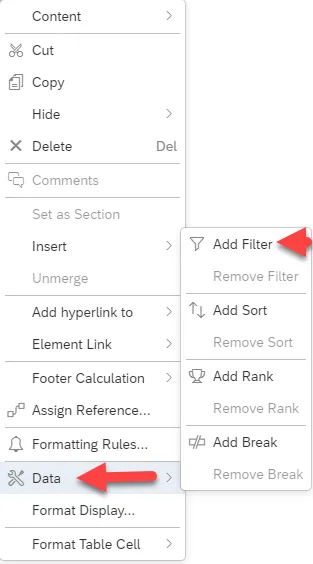
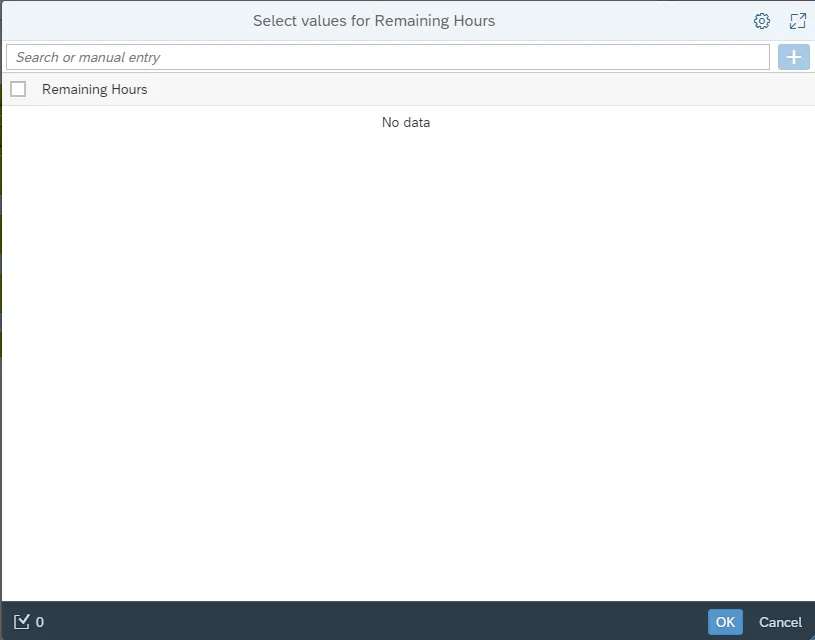
o User can modify this filter by following the steps below. There are 3 steps to complete this process.
Step 1: Right click on column.
Step 2: Click Data.
Step 3: Add Filter.