Report Description
This report provides a list of employees who have achieved at least 10 years of creditable service and are eligible to receive a longevity payment within 12 months of the date the report is executed. The Office of State Human resources longevity policy states that full-time and part-time (20 hours or more) permanent, probationary, trainee and time-limited employees are eligible for longevity pay.
Report Location
PA: Longevity & Retirement
Report Uses
This report can be used to determine the estimated longevity for eligible employees within an org unit for a 12-month period, rather than performing manual calculations. The amount of estimated longevity is calculated by multiplying the employee’s salary by the longevity percentage rate based on the employee’s length of service as of the date the report is executed. The percentage rate increases as the employee completes 10, 15, 20, and 25 years of service.
This report can be used for budgeting, to estimate and plan salary and longevity payments for a 12-month period for a specified org unit(s).
How to Generate This Report
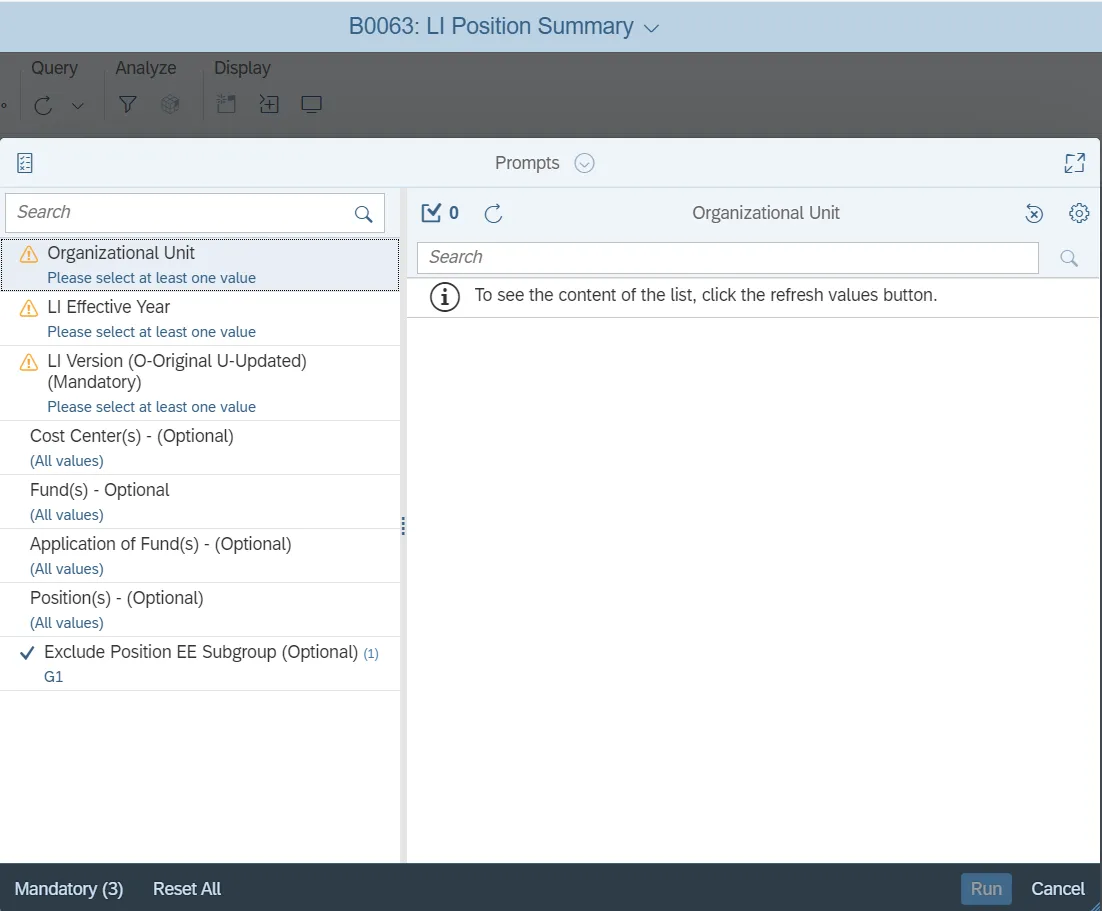
This report is generated after selecting values for the mandatory prompts. All mandatory prompts must have values selected before the Run Icon can be used to generate the report. Mandatory prompts can be identified as mandatory by the exclamation mark inside of the yellow-orange triangle, the square with the checkmark, or the display of (Mandatory). Detailed instructions for interaction with each prompt can be found on the Web Intelligence Prompt List on the OSC website.
The Mandatory prompts for this report are:
- Organizational Unit
- Calendar Month/Year (Single Value, Mandatory)
This report can also be further limited by utilizing the Optional prompts to further limiting the amount of data that retrieved into the body of the report. Optional prompts are indicated as option in parentheses beside the prompt.
The Optional prompts are:
- Personnel Area(s)
- Employee(s) PersNo.
Initial Layout
B0064 Estimated Longevity Eligibility/Length of Service tab - This report tab shows employees who are eligible for longevity payment. This is a sample of the report:

Continued...

Note: There are totals at the end of the report.


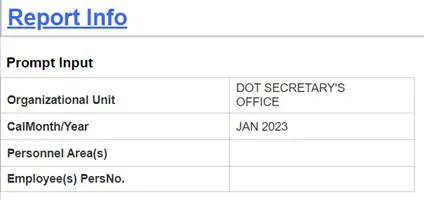
- Report Info tab – This report tab displays the values for the prompt used to execute the report:
Available Objects
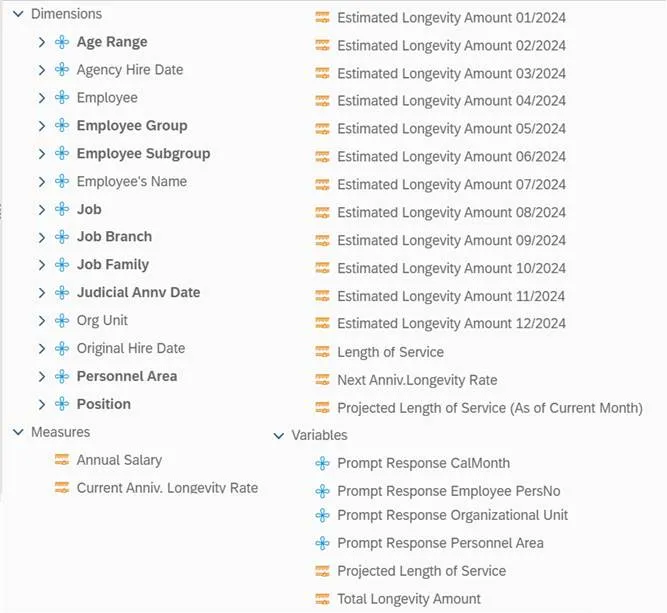
This is a list of the available objects that can be added to the report, from the Document Dictionary once in the Design mode:
Dimensions
- Age Range
- Agency Hire Date
- Employee
- Employee Group
- Employee Subgroup
- Employee's Name
- Job
- Job Branch
- Job Family
- Judicial Annv Date
- Org Unit
- Original Hire Date
- Personnel Area
- Position
Measures
- Annual Salary
- Current Anniv. Longevity Rate
- Estimated Longevity Amount 01/2024
- Estimated Longevity Amount 02/2024
- Estimated Longevity Amount 03/2024
- Estimated Longevity Amount 04/2024
- Estimated Longevity Amount 05/2024
- Estimated Longevity Amount 06/2024
- Estimated Longevity Amount 07/2024
- Estimated Longevity Amount 08/2024
- Estimated Longevity Amount 09/2024
- Estimated Longevity Amount 10/2024
- Estimated Longevity Amount 11/2024
- Estimated Longevity Amount 12/2024
- Length of Service
- Next Anniv.Longevity Rate
- Projected Length of Service (As of Current Month)
Variables
- Prompt Response CalMonth
- Prompt Response Employee PersNo
- Prompt Response Organizational Unit
- Prompt Response Personnel Area
- Projected Length of Service
- Total Longevity Amount
Special Report Considerations/Features
- Temporary employees are excluded by default, but this can be changed.
- Report only pulls active employees.
- The creditable state service comes from the NC Department of the State Treasurer’s Orbit system and is updated monthly.
- The report displays a column for each month projected out for 12 months from the date the report is requested. The longevity amount for each employee will display in the column for the month in which the longevity is due to be paid.
- This report can be run for the current month, or as of a previous month. Future dated months are not supported. If you attempt to run the report for a future month, a message will display, “No data to retrieve in Query 1”.
- When the report is run for the current month, the Projected Length of Service for each employee includes the accrual for the current month, regardless of whether or not the employee has received the accrual in ERP. In this case, the Projected Length of Service is calculated by obtaining the employee’s length of service from the previous month and then adding 1 to this value to represent the current month accrual.
- When the report is run for a previous month, the Projected Length of Service reflects the length of service accrued in ERP as of the end of the calendar month/year selected.
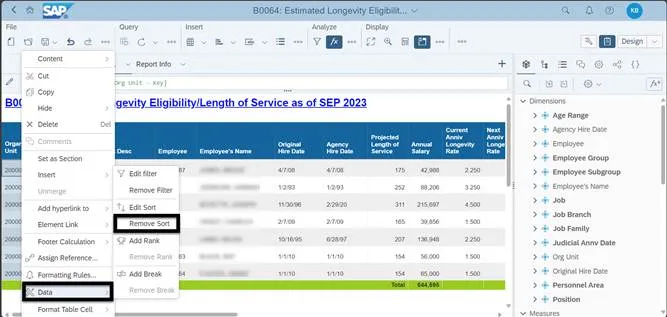
- To change the sorting for the desired column
- Data is sorted by Personnel Area by default. (This can be changed as needed).
- Make sure the “desired column” is selected.
- Right click on the desired column.
- Select Data.
- Select Remove Sort.
- Data is sorted by Personnel Area by default. (This can be changed as needed).