Purpose
The purpose of this report description is to explain how to generate the crystal report B0050.
Report Description
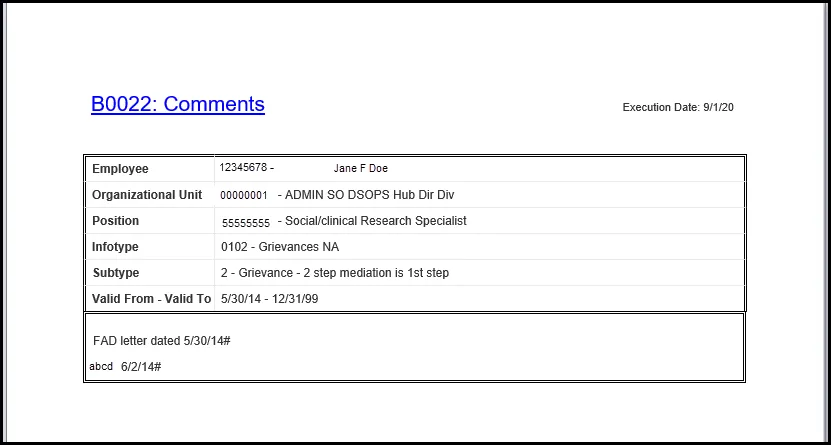
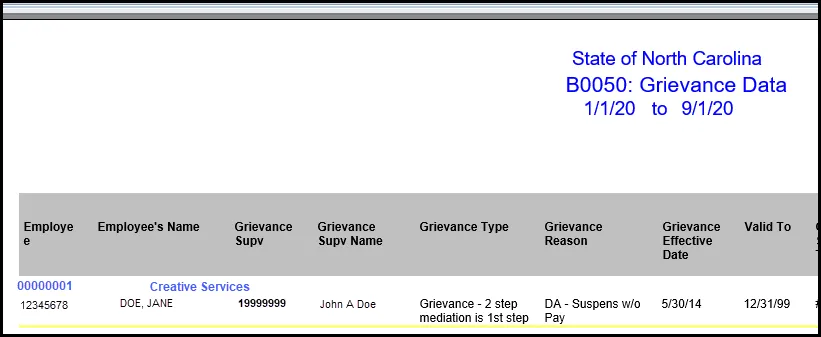
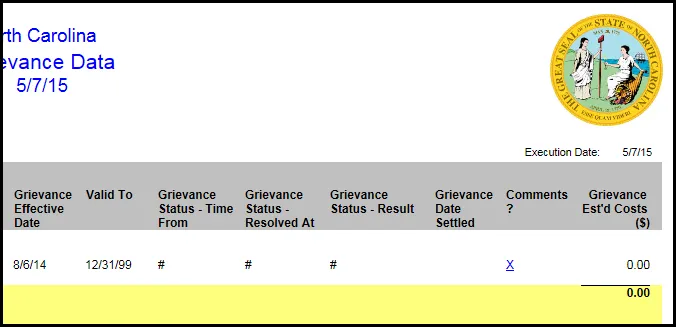
This report lists all historical grievances (from Infotype 0102) filed by active employees. It includes details such as when the grievance was filed and its current status. Provides jump to 'B0022: Comments'.
Report Location
PA: Grievances
Report Uses
The data in this report will be used to track and report historical data in the Grievance process.
How to Generate This Report
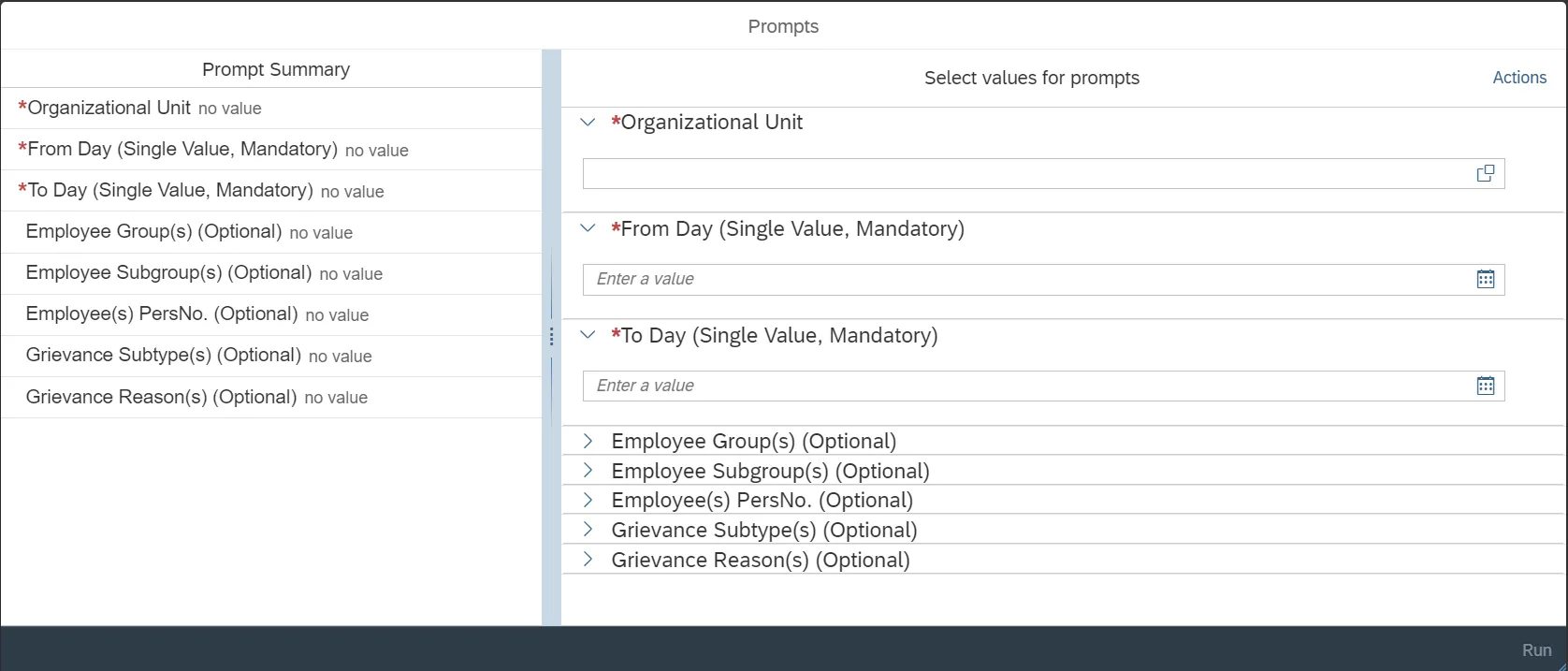
This report is generated after selecting values for the mandatory prompts. All mandatory prompts must have values selected before the Run Icon can be used to generate the report. Mandatory prompts can be identified as mandatory by the exclamation mark inside of the yellow-orange triangle, the square with the checkmark, or the display of (Mandatory). Detailed instructions for interaction with each prompt can be found on the Crystal Report Prompt List on the OSC website.
The Mandatory prompts for this report are:
- Organizational Unit
- From Day (Single Value, Mandatory)
- From Day (Single Value, Mandatory)
This report can also be further limited by utilizing the Optional prompts to further limiting the amount of data that retrieved into the body of the report. Optional prompts are indicated as option in parentheses beside the prompt.
The Optional prompts are:
- Employee Group(s) (Optional)
- Employee Subgroup(s) (Optional)
- Employee(s) PersNo. (Optional)
- Grievance Subtype(s) (Optional)
- Grievance Reason(s) (Optional)
Initial Layout
The report lists all grievances based on the prompt selections. Below is a sample of the layout rendered.
Continued…
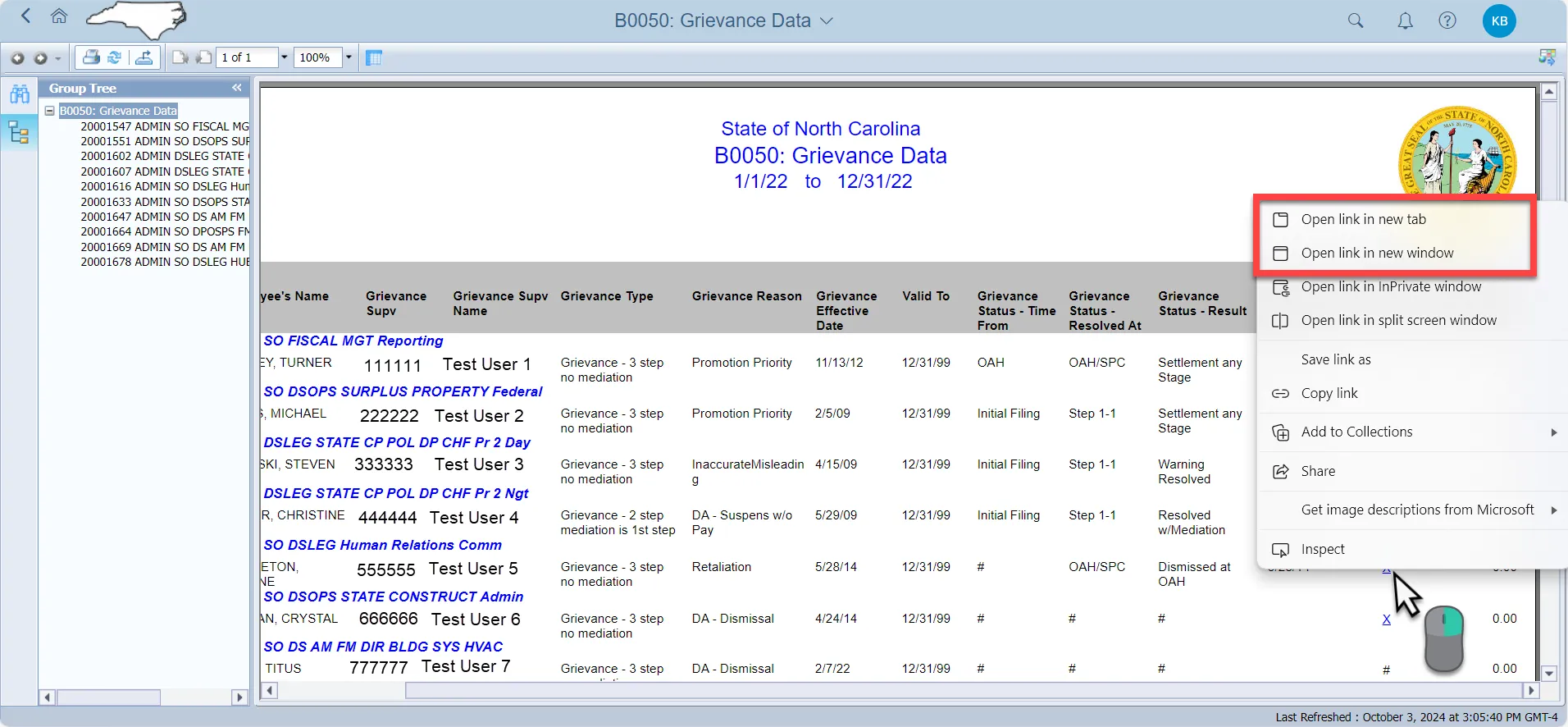
Navigate to B0022: Comments report
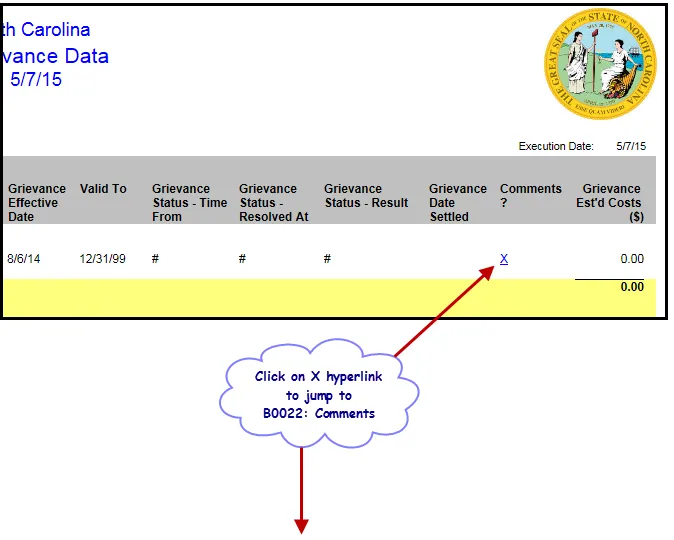
Hint: Right Click and use the menu option to select 'Open in New Tab' or 'Open in New Window'" to see comments.