Purpose
The purpose of this Report Description is to explain how to display Employee Personal Data in the Integrated HR-Payroll System.
Report Description
The B0037: Employee Personal Data report provides a list of employees who are currently active within the organizational unit selected. This report provides personal details about an employee such as home address, emergency contact information, and birth date.
Report Location
PA: Employee Details
Report Uses
- This report can be used to obtain the permanent addresses for employees if there is a need to mail information to employees’ home addresses.
- It can be used to obtain emergency contact information for an individual employee or for all employees within an org unit in the event of a disaster or a state of emergency.
- This report contains date of birth, so it can be used in circumstances where there is a business need to gather this information for a group of employees.
- The report also contains only the month and day of birth date, and it can be used to compile a birthday list for employees within an org unit.
How to Generate This Report
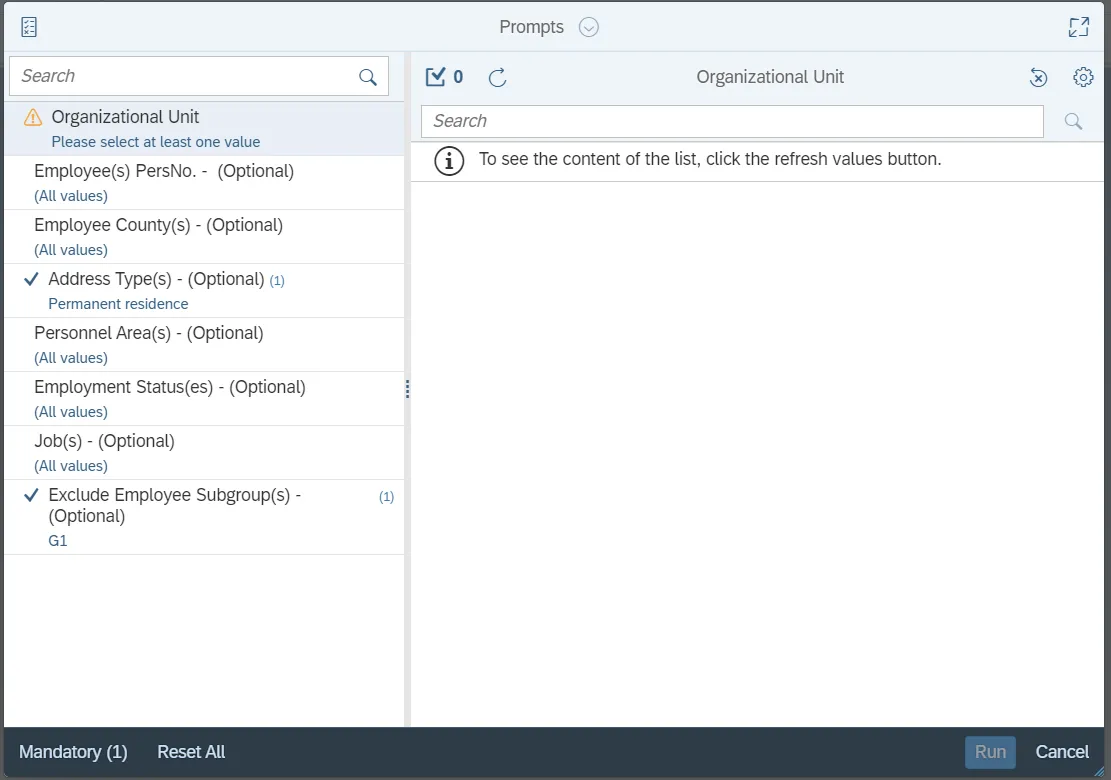
This report is generated after selecting values for the mandatory prompts. All mandatory prompts must have values selected before the Run Icon can be used to generate the report. Mandatory prompts can be identified as mandatory by the exclamation mark inside of the yellow-orange triangle, the square with the checkmark, or the display of (Mandatory). Detailed instructions for interaction with each prompt can be found on the Web Intelligence Prompt List on the OSC website.
The Mandatory prompts for this report are:
- Organizational Unit
This report can also be further limited by utilizing the Optional prompts to further limiting the amount of data that retrieved into the body of the report. Optional prompts are indicated as option in parentheses beside the prompt.
The Optional prompts are:
- Employee(s) PersNo.
- Employee County(s)
- Address Types
- Personnel Area(s)
- Employment Status(es)
- Job(s)
Exclusion prompts exclude specified data by default while allowing customers the flexibility of changing them when necessary. Exclusion prompts are identified by the term Exclude followed by the prompt.
The Exclusion prompts are:
- Exclude Employee Subgroup(s)
Initial Layout
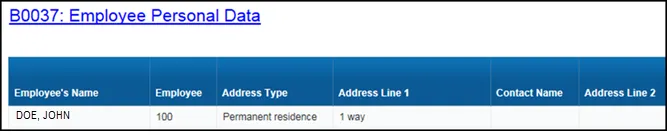
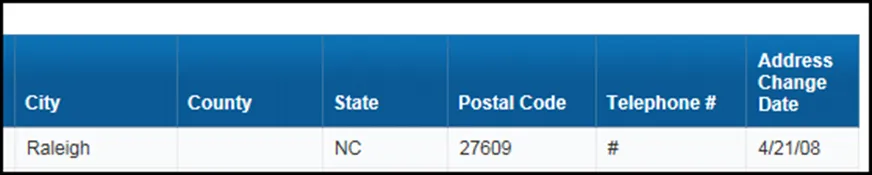
The report is generated with a list of employees who have a valid current address in the system for the organizational unit selected. Below is a sample rendering.
Continued...
Available Objects
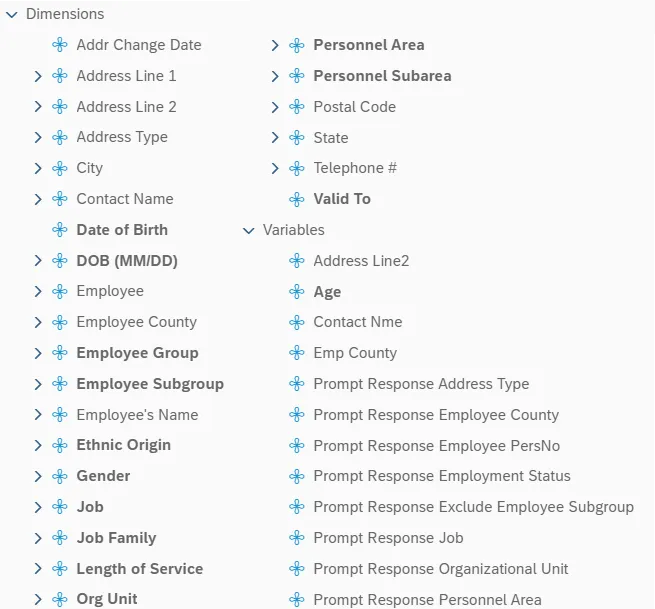
This is a list of the available objects that can be added to the report, from the Document Dictionary once in the Design mode:
Dimensions
- Addr Change Date
- Address Line 1
- Address Line 2
- Address Type
- City
- Contact name
- Date of Birth
- DOB (MM/DD)
- Employee
- Employee County
- Employee Group
- Employee Subgroup
- Employee’s Name
- Ethnic Origin
- Gender
- Job
- Job family
- Length of Service
- Org Unit
- Personnel Area
- Personnel Subarea
- Postal Code
- State
- Telephone #
- Valid To
Variables:
- Address Line2
- Age
- Contact Name
- Emp County
- Prompt Response Address Type
- Prompt Response Employee County
- Prompt Response Employee PersNo
- Prompt Response Employment Status
- Prompt Response Exclude Employee Subgroup
- Prompt Response Job
- Prompt Response Organizational Unit
- Prompt Response Personnel Area
Special Report Considerations/Features
- The report defaults to generating list of all employees who have a current address with a valid to high date of 12/31/9999.
- The data is refreshed daily and is current as of the close of business from the previous business day.
- Contractors are excluded by default. This can be changed.
- ‘EE Telework Eligible’ and ‘EE Telework Type’ can be added to report by expanding the Employee attributes (expanded list) in Available Objects.