Purpose
The purpose of this Report Description is to explain how to generate a report showing timesheets that have not been approved in a timely manner.
Report Description
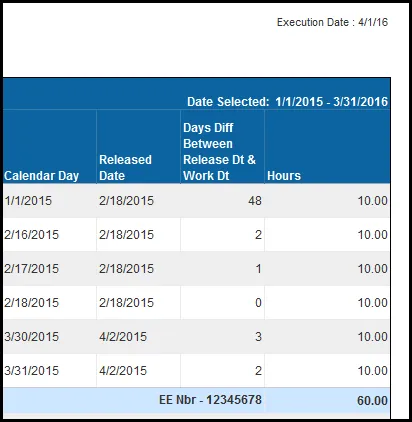
This report displays time that has been released, and not approved, more than a specified number of dates after the work date. This report is applicable only for employees who enter time through ESS.
Report Location
PT: Timesheet Metrics
Report Use
Agencies use this report to determine which EE's are not submitting their time within the acceptable time frame. The best practice is to release time weekly. Failure to record and release time in a timely manner may impact an EE's accruals or quota balances.
How to Generate This Report
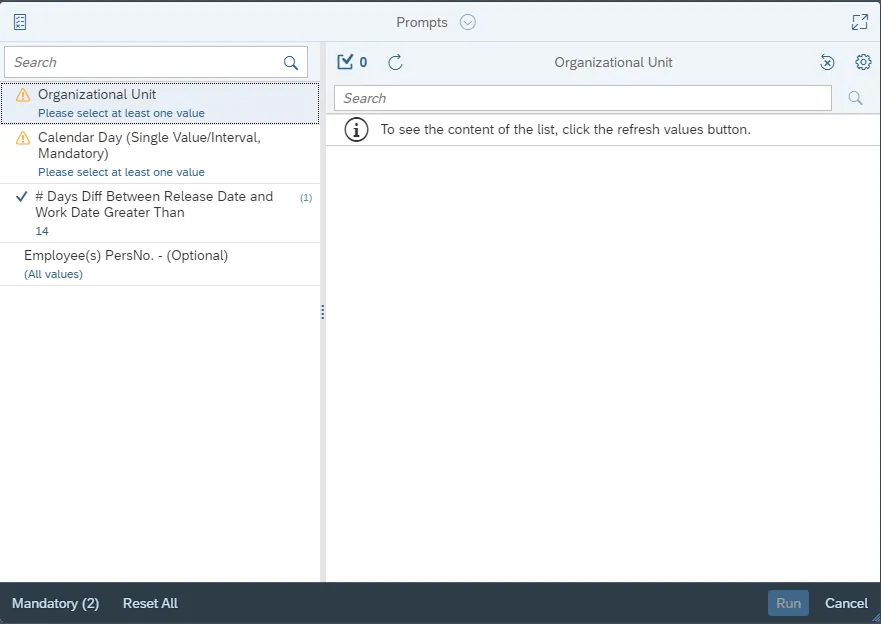
This report is generated after selecting values for the mandatory prompts. All mandatory prompts must have values selected before the Run Icon can be used to generate the report. Mandatory prompts can be identified as mandatory by the exclamation mark inside of the yellow-orange triangle, the square with the checkmark, or the display of (Mandatory). Detailed instructions for interaction with each prompt can be found on the Web Intelligence Prompt List on the OSC website.
The Mandatory prompts for this report are:
- Organizational Unit
- Calendar Day (Single Value/Interval, Mandatory)
This report can also be further limited by utilizing the Optional prompts to further limiting the amount of data that retrieved into the body of the report. Optional prompts are indicated as optional in parentheses beside the prompt.
The Optional prompts are:
- # Days Diff Between Release Date and Work Date Greater Than
- Employee(s) PersNo. – (Optional)
Initial Layout
Below is a sample rendering of the report.

Continued…
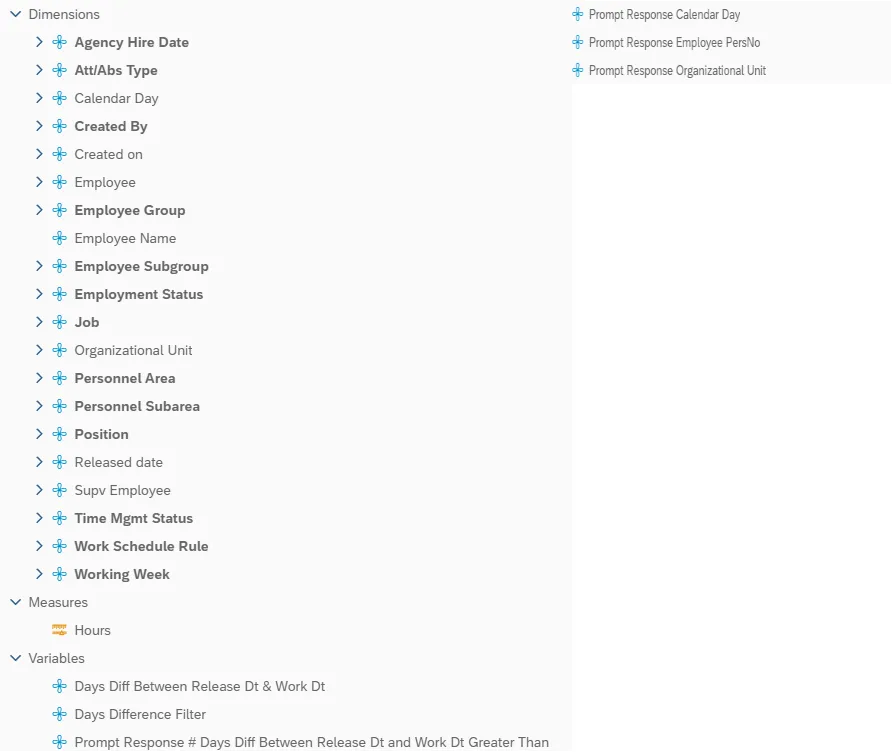
Available Objects
This is a list of the available objects that can be added to the report, from the Document Dictionary once in the Design mode:
Dimensions
- Agency Hire Date
- Att/Abs type
- Calendar Day
- Created By
- Created on
- Employee
- Employee Group
- Employee Name
- Employee Subgroup
- Employment Status
- Job
- Organizational Unit
- Personnel Area
- Personnel Subarea
- Position
- Released date
- Supv Employee
- Time Mgmt Status
- Work Schedule Rule
- Working Week
Measures
- Hours
Variables
- Days Diff Between Release Dt & Work Dt
- Days Difference Filter
- Prompt Response # Days Diff Between Release Dt and Work Dt Greater Than
- Prompt Response Calendar Day
- Prompt Response Employee PersNo
- Prompt Response Organizational Unit
Special Report Considerations/Features
- Report shows active employee information only.
- The report shows only employees’ timesheet information for employees who are in the Integrated HR-Payroll System. This report is applicable only for employees who enter time through ESS.
- If the timesheet data is not entered for EEs, there will be no records in this report.