Purpose
The purpose of this Report Description is to display the amount of holiday time accrued, used and moved to Holiday Comp during a selected date range within the current or three prior months.
Report Description
The B0206 Holiday Activity report displays the amount of holiday time accrued, used and moved to Holiday Comp during a selected date range within the current or three prior months.
Report Location
PT: Timesheet Metrics
Report Uses
The report helps to verify that employees received all holiday quota to which they are entitled. It identifies the amount of holiday leave taken or moved to Holiday Comp for a specified date range.
How to Generate This Report
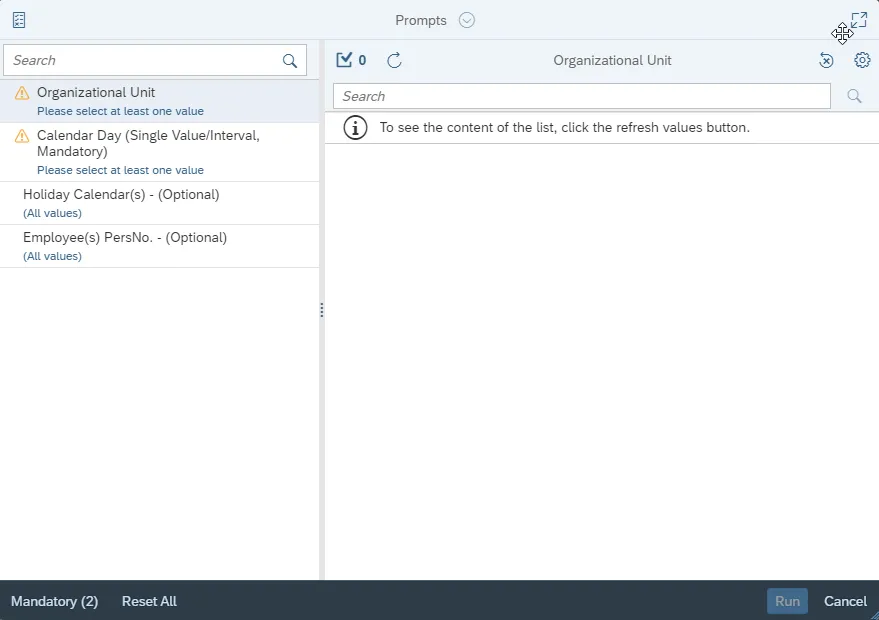
This report is generated after selecting values for the mandatory prompts. All mandatory prompts must have values selected before the Run Icon can be used to generate the report. Mandatory prompts can be identified as mandatory by the exclamation mark inside of the yellow-orange triangle, the square with the checkmark, or the display of (Mandatory). Detailed instructions for interaction with each prompt can be found on the Web Intelligence Prompt List on the OSC website.
The Mandatory prompts for this report are:
- Organizational Unit
- Calendar Day (Single Value/Interval, Mandatory)
This report can also be further limited by utilizing the Optional prompts to further limiting the amount of data that retrieved into the body of the report. Optional prompts are indicated as optional in parentheses beside the prompt.
The Optional prompts are:
- Holiday Calendar(s) - (Optional)
- Employee(s) PersNo. - (Optional)
Initial Layout
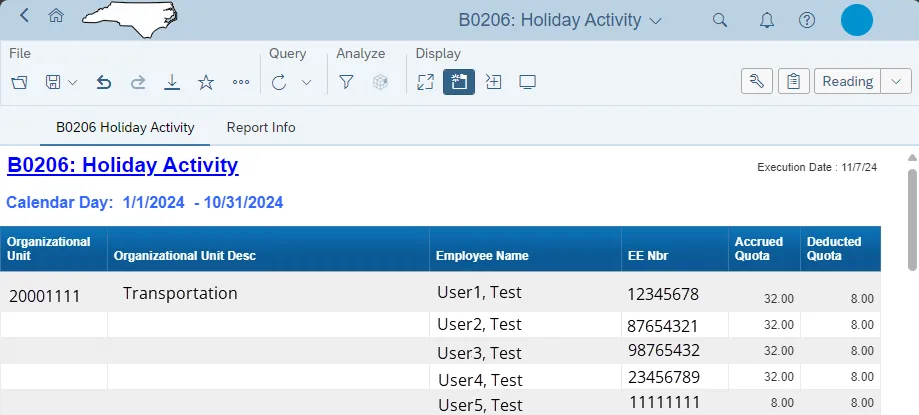
The report has two report tabs.
B0206 Holiday Activity tab: The report tab displays the amount of holiday time accrued, used and moved to Holiday Comp during a selected date range within the current or three prior months.
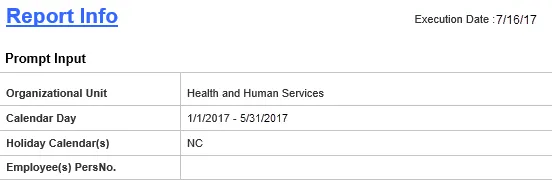
Report Info tab: This report tab displays the values of the prompt selections for the executed report.
Available Objects
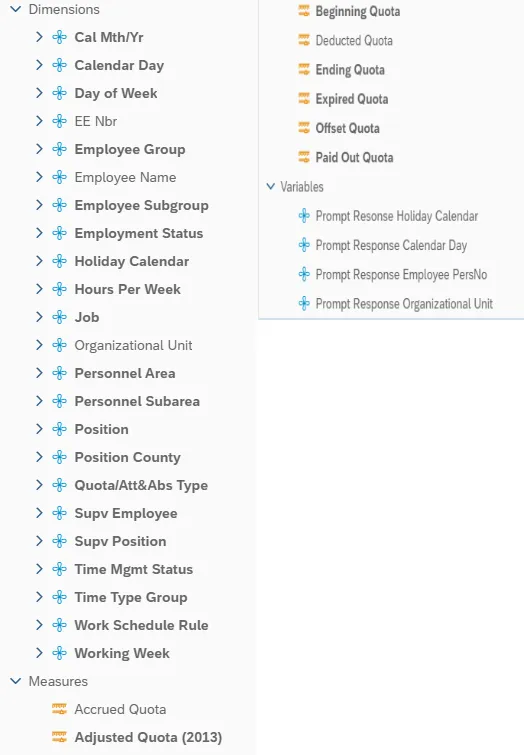
This is a list of the available objects that can be added to the report, from the Document Dictionary once in the Design mode:
Dimensions:
- Cal Mth/Yr
- Calendar Day
- Day of Week
- EE Nbr
- Employee Group
- Employee Name
- Employee Subgroup
- Employment Status
- Holiday Calendar
- Hours Per Week
- Job
- Personnel Area
- Personnel Subarea
- Position
- Position County
- Quota/Att&Abs Type
- Supv Employee
- Supv Position
- Time Mgmt Status
- Time Type Group
- Work Schedule Rule
- Working Week
Measures
- Accrued Quota
- Adjusted Quota (2013)
- Beginning Quota
- Deducted Quota
- Ending Quota
- Expired Quota
- Offset Quota
- Paid Out Quota
Variables
- Prompt Response Holiday Calendar
- Prompt Response Calendar Day
- Prompt Response Employee PersNo
- Prompt Response Organizational Unit
Special Report Considerations/Features
- Contractors (employee subgroup G1) are excluded from the report.
- This report includes only the following Quota/Attendance & Absence types:
- 22: Holiday Comp Time
- 40: Holiday Leave