Purpose
The purpose of this Report Description is to explain how to generate the Time Timesheet Exceptions report to monitor discrepancies caused by transfer errors.
Report Description
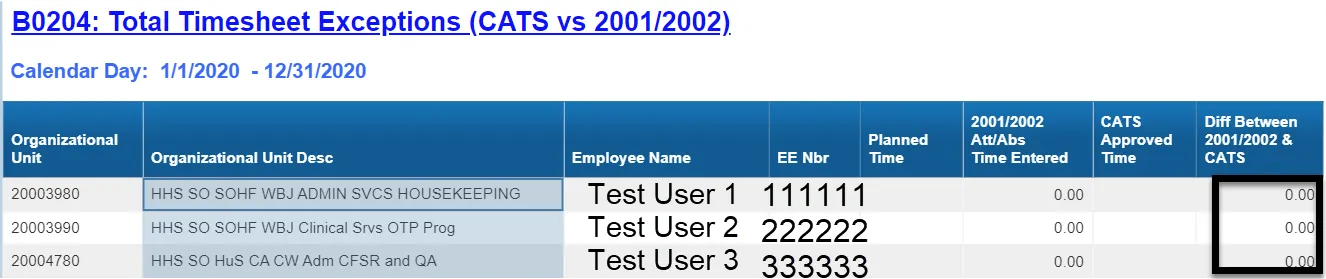
The B0204 Total Timesheet Exceptions (CATS vs 2001/2002) report compares the Cross-Application Timesheet (CATS) recorded and approved hours to the Infotype 2001 (Absences) and Infotype 2002 (Attendances) records and calculates a difference.
Report Location
PT: Timesheet Metrics
Report Uses
This report is used to assist in monitoring discrepancies between the Infotype 2001/2002 records and CATS records caused by transfer errors.
How to Generate This Report
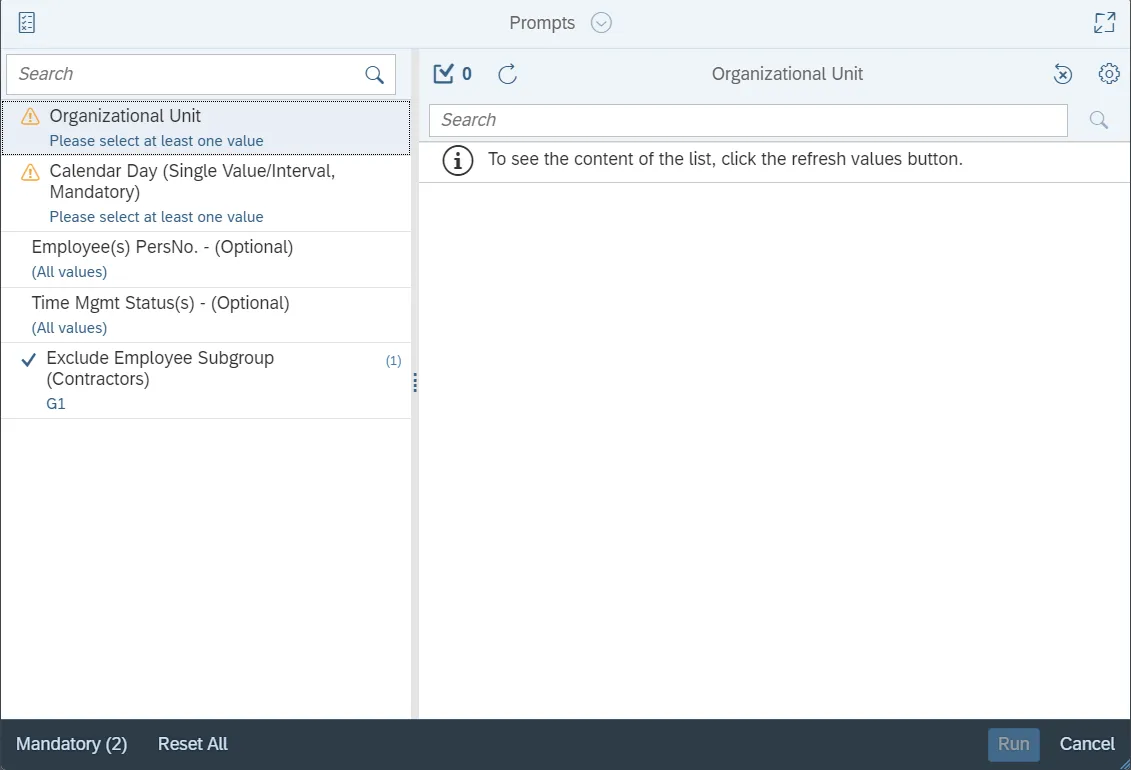
This report is generated after selecting values for the mandatory prompts. All mandatory prompts must have values selected before the Run Icon can be used to generate the report. Mandatory prompts can be identified as mandatory by the exclamation mark inside of the yellow-orange triangle, the square with the checkmark, or the display of (Mandatory). Detailed instructions for interaction with each prompt can be found on the Web Intelligence Prompt List on the OSC website.
The Mandatory prompts for this report are:
- Organizational Unit
- Calendar Day (Single Value/Interval, Mandatory)
This report can also be further limited by utilizing the Optional prompts to further limiting the amount of data that retrieved into the body of the report. Optional prompts are indicated as optional in parentheses beside the prompt.
The Optional prompts are:
- Employee(s) PersNo. - (Optional)
- Time Mgmt Status(s) - (Optional)
Exclusion prompts exclude specified data by default while allowing customers the flexibility of changing them when necessary. Exclusion prompts are identified by the term Exclude followed by the prompt.
The Exclusion prompts are:
- Exclude Employee Subgroup (Contractors)
Initial Layout
The report has two report tabs.
- B0204 Total Timesheet Exceptions (CATS Vs 2001/2002) tab: The report tab is used to assist in monitoring discrepancies between the Infotype 2001/2002 records and CATS records caused by transfer errors.

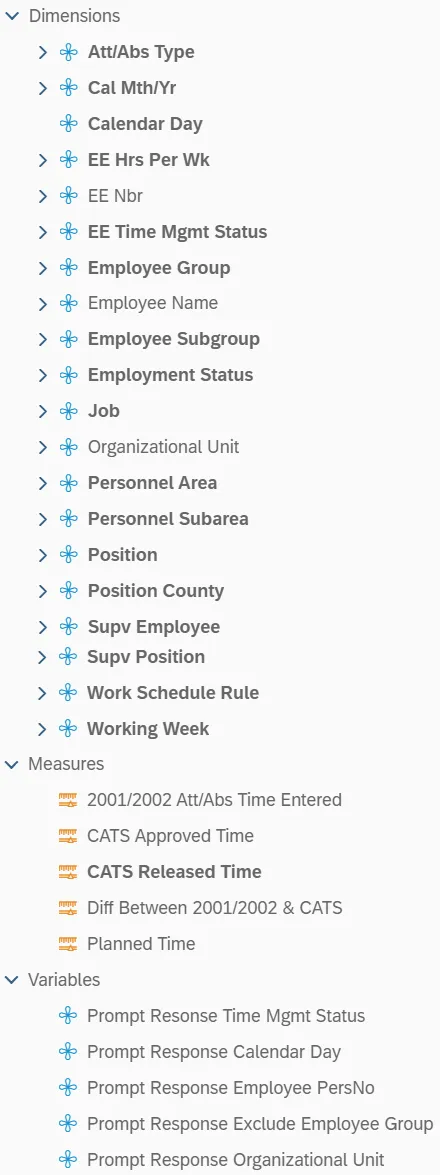
- Report Info tab: This report tab displays the values of the prompt selections for the executed report.
Available Objects
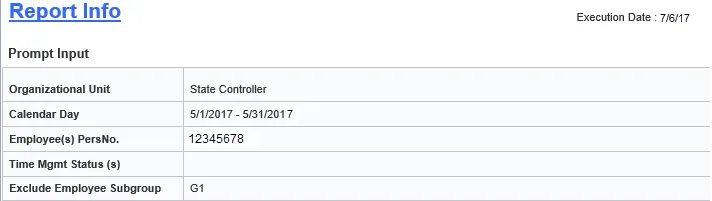
This is a list of the available objects that can be added to the report, from the Document Dictionary once in the Design mode:
Dimensions
- Att/Abs Type
- Cal Mth/Yr
- Calendar Day
- EE Hrs Per Wk
- EE Nbr
- EE Time Mgmt Status
- Employee Group
- Employee Name
- Employee Subgroup
- Employment Status
- Job
- Organizational Unit
- Personnel Area
- Personnel Subarea
- Position
- Position County
- Supv Employee
- Supv Position
- Work Schedule Rule
- Working Week
Measures
- 2001/2002 Att/Abs Time Entered
- CATS Approved Time
- CATS Released Time
- Diff Between 2001/2002 & CATS
- Planned Time
Variables
- Prompt Resonse Time Mgmt Status
- Prompt Response Calendar Day
- Prompt Response Employee PersNo
- Prompt Response Exclude Employee Group
- Prompt Response Organizational Unit
Special Report Considerations/Features
- Contractors (employee subgroup G1) are excluded from the report by default, but they can be included by clearing the exclusion prompt. See ‘Exclusion Prompts’ section above for instructions on how to clear this default exclusion.
- This report includes only the following Attendance/Absence types:
- A0000000 – A9999999
- 9000 – 9999
- PLHR: Planned Hours
- Infotype 2001/2002 records that cover a range of dates are parsed into separate days based on the employee's work schedule. This report automatically applies to a condition to suppress the display of the rows where the difference between the employee’s 2001/2002 time entered and the CATS approved time is 0.
Note: Below is an example of an employee who would NOT be listed in the report due to the applied condition.

For the dates from 05/01/2018 – 05/31/2018, Mickey Mouse’s 2001/2002 Time Entered is 14.00 hours. The CATS Approved Time is also 14.00 hours. The difference in his 2001/2002 Att/Abs Time Entered and CATS Approved Time is 0, so this employee would not be included in the report.
- The report filter can be modified to include only employees with zero balances. There are 8 steps to complete this process.
Step 1: Make sure you are in Design Mode.
Step 2: Select any column in the report.
Step 3: Click on the “Shows data/format panel icon.
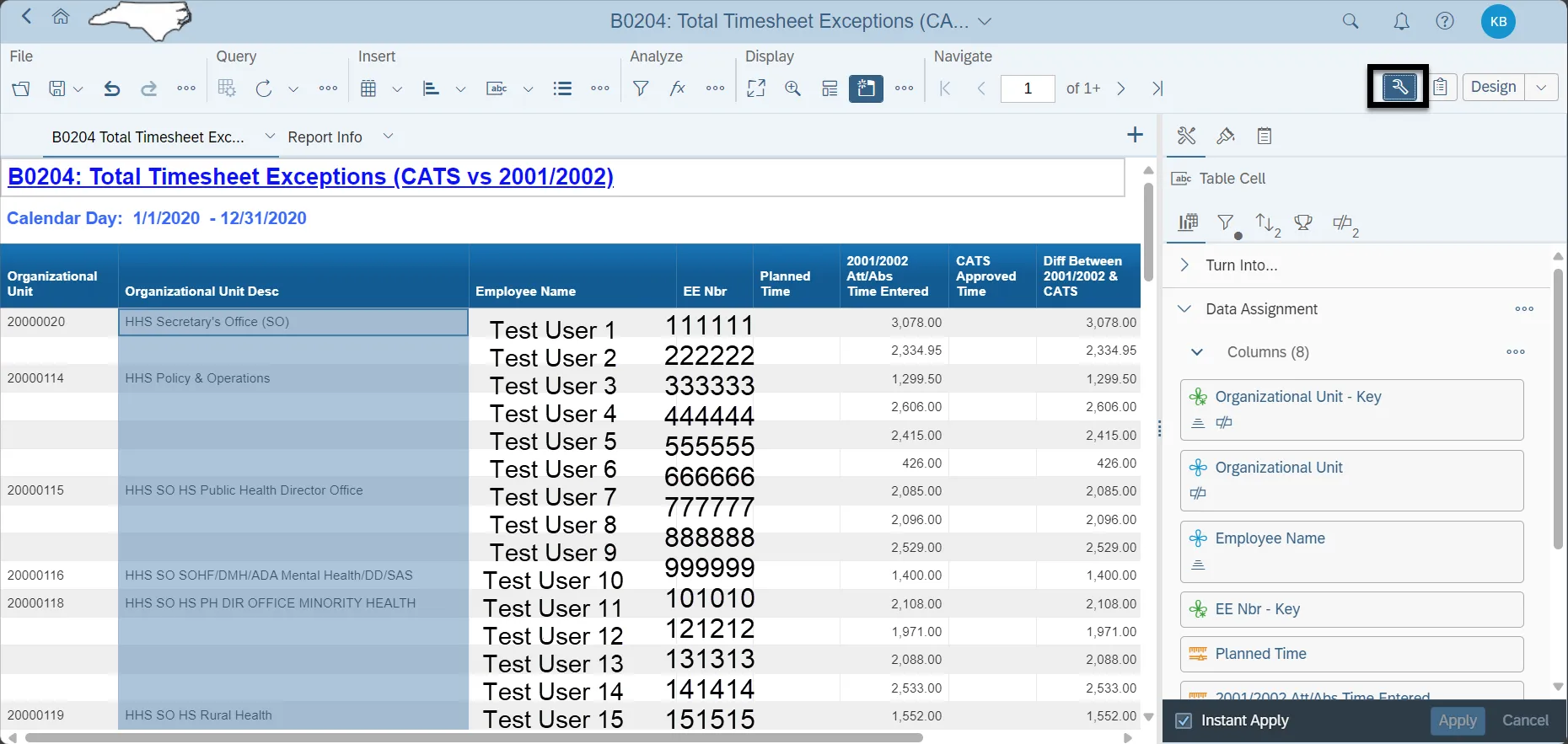
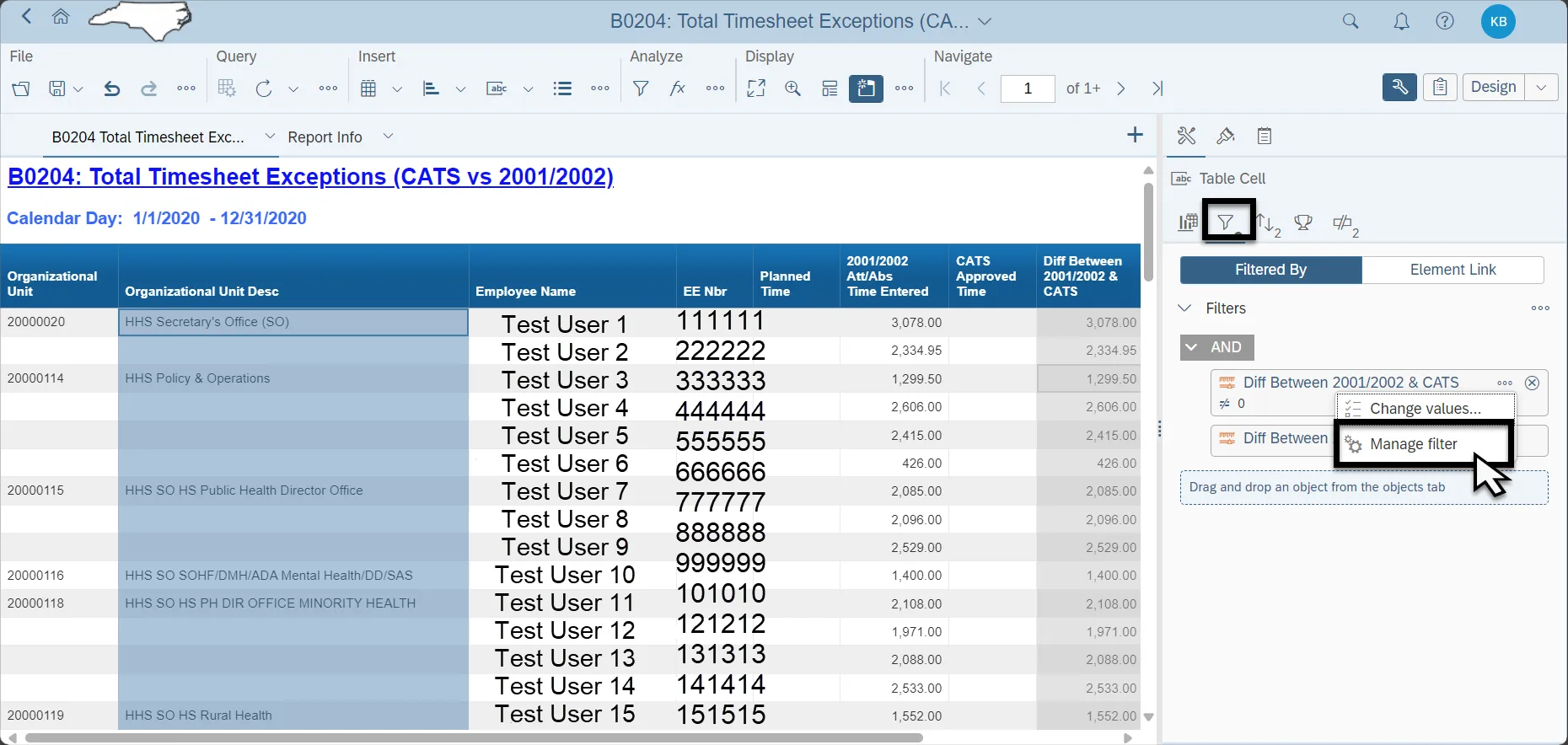
Step 4: Click on the “Display Filter panel” icon.
Step 5: Click on the ellipsis next to “Diff Between 2001/2002 & CATS” and select “Manage Filter”.
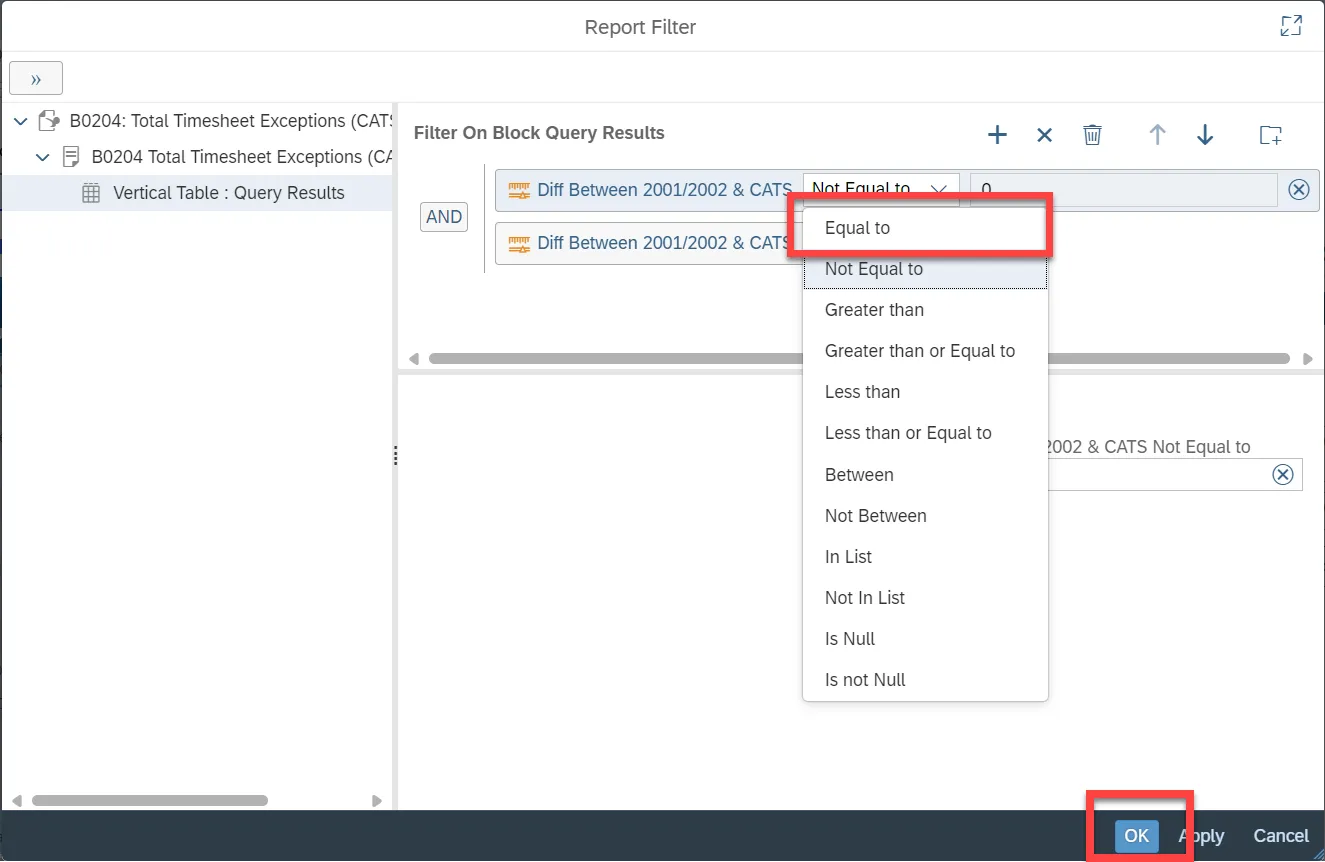
Step 6: In the report Filter, click on the drop-down box. Change the “Not Equal” to “Equal to”.
Step 7: Click OK.
Step 8: The report now will list only employees with the Difference Between 2001/2002 & CATS Approved.
Time equal to 0: