Purpose
The purpose of this Report Description is to compare the effective date of the employee’s leave of absence action to the date it was processed to determine whether the change was processed retroactively or not, and if so, by how many days.
Report Description
The B0153 Time to Process LOA Metrics report compares the effective date of the employee’s leave of absence action to the date it was processed to determine whether the change was processed retroactively or not, and if so, by how many days. The report contains the following calculations:
- Processed On Time
- 1 - 29 Days Retro
- 30 - 59 Days Retro
- >59 Days Retro
- Total Transactions
Report Location
Agency Performance Metrics
Report Uses
This Report is useful in identifying the timely processing of leave of absence separations, which is critical to ensure that the state is not erroneously paying employees after they have separated from the State government.
This report is useful in identifying separations that were not processed in a timely manner. The employee is an available object on the report, and can be added to the base report. This would identify employees who may have been incorrectly paid. This list could be used by agencies when investigating to determine if funds need to be recouped from the employee.
How to Generate This Report
This report is generated after selecting values for the mandatory prompts. All mandatory prompts must have values selected before the Run Icon can be used to generate the report. Mandatory prompts can be identified as mandatory by the exclamation mark inside of the yellow-orange triangle, the square with the checkmark, or the display of (Mandatory). Detailed instructions for interaction with each prompt can be found on the Web Intelligence Prompt List on the OSC website.
The Mandatory prompts for this report are:
- Organizational Unit
- Changed On Date (Single Value/Interval, Mandatory)
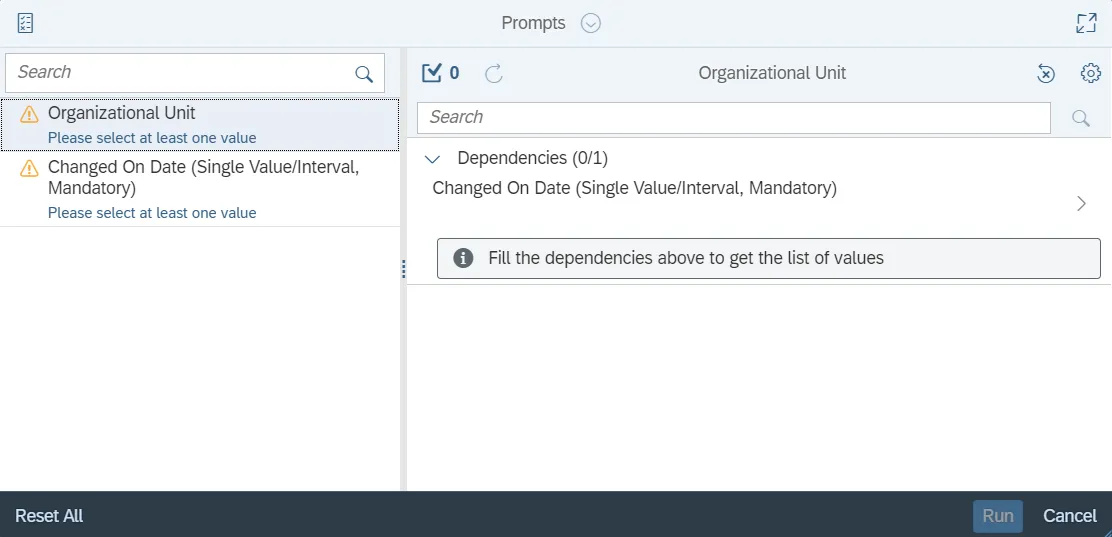
Initial Layout
This report contains one report tab and one Report Info tab. Below are sample renderings from each tab.
B0153 Time to Process LOA Actions Metrics tab
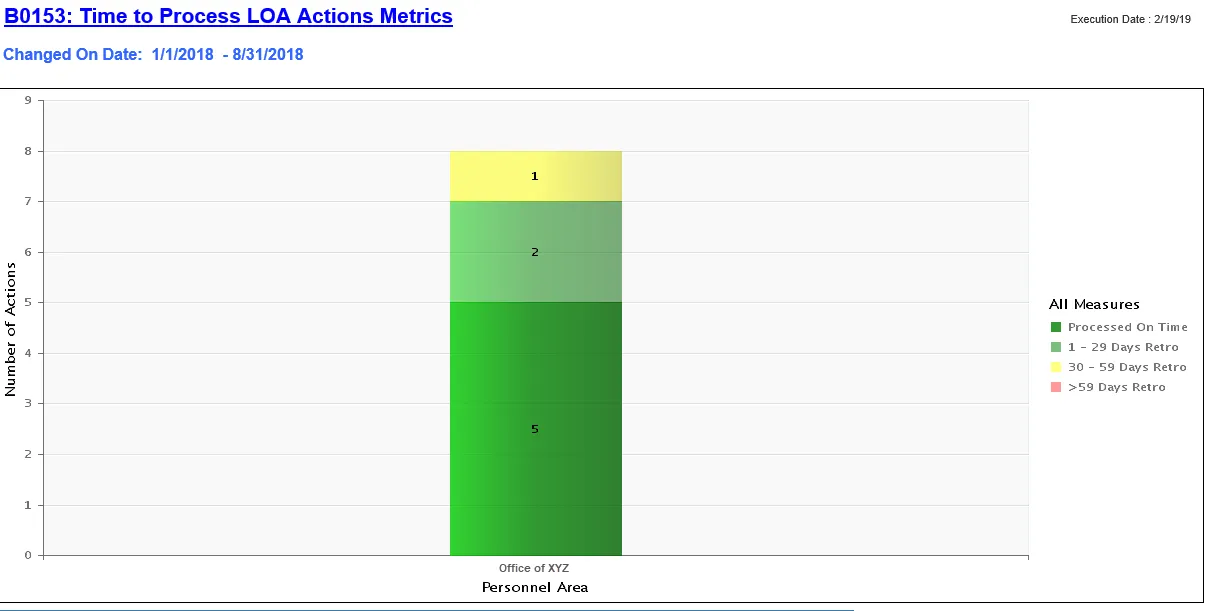
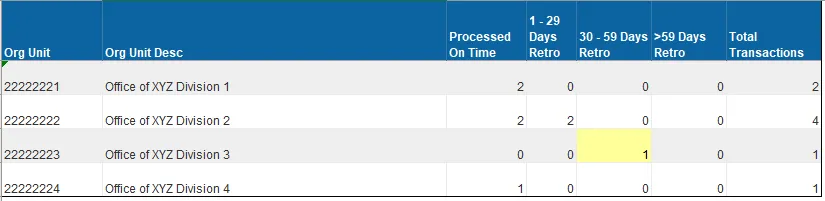
The Report Info tab displays information about the prompts entered.

Available Objects
This is a list of the available objects that can be added to the report, from the Document Dictionary once in the Design mode:
Dimensions
- Action Reason
- Action Type
- Effective Date
- Employee
- Employee group
- Employee Subgroup
- Hourly Pay Indicator
- Organizational Unit
- Personnel Area
- Processed Date
- Valid To
Measures
- >59 Days Retro
- 1 – 29 Days Retro
- 30 – 59 Days Retro
- Processed On Time
- Total Retros Processed
- Total Transactions
Variables
- Prompt Response Changed On Date
- Prompt Response Organizational Unit
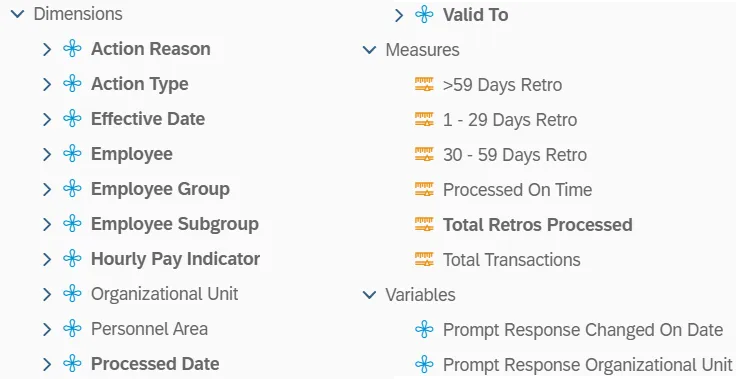
Special Report Considerations/Features
- This report includes only Z3 Leave of Absence (LOA) actions.
- Scorecard colors are applied only to the Retro columns using the following criteria:
- **1 - 29 Days Retro > 0 No color (Implied Green)
- **30 - 59 Days Retro > 0: Yellow
- **>59 Days Retro > 0: Red