Purpose
The purpose of this Report Description is to explain how to generate and use the Position/Employee Competency Level Compare (Banded) report in the Integrated HR-Payroll System.
Report Description
This report shows the Competency (Pay Level) settings along with other relevant Pay attributes for Employee, Job, and Position for Banded Pay Types.
Report Location
PA: Compensation
Report Uses
This report is used to compare the Competency Level settings on Employee and Position for Banded pay types so that corrective action may be taken when discrepancies are found.
How to Generate This Report
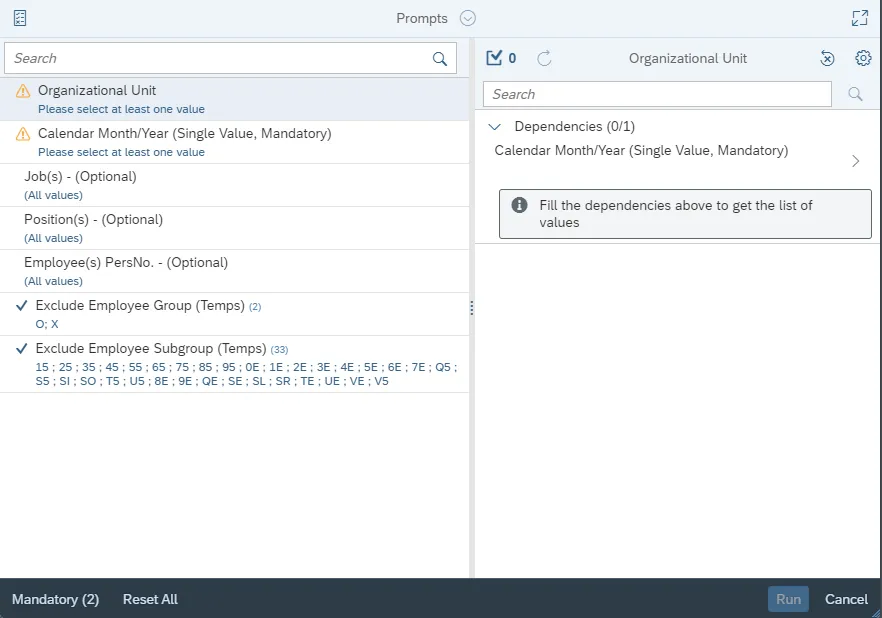
This report is generated after selecting values for the mandatory prompts. All mandatory prompts must have values selected before the Run Icon can be used to generate the report. Mandatory prompts can be identified as mandatory by the exclamation mark inside of the yellow-orange triangle, the square with the checkmark, or the display of (Mandatory). Detailed instructions for interaction with each prompt can be found on the Web Intelligence Prompt List on the OSC website.
The Mandatory prompts for this report are:
- Organizational Unit
- Calendar Month/Year (Single Value, Mandatory)
This report can also be further limited by utilizing the Optional prompts to further limiting the amount of data that retrieved into the body of the report. Optional prompts are indicated as optional in parentheses beside the prompt.
The Optional prompts are:
- Job(s) - (Optional)
- Position(s) - (Optional)
- Employee(s) PersNo. - (Optional)
- Exclusion prompts exclude specified data by default while allowing customers the flexibility of changing them when necessary. Exclusion prompts are identified by the term Exclude followed by the prompt.
- The Exclusion prompts are:
- Exclude Employee Group (Temps) O; X
- Exclude Employee Subgroup (Temps) 15 ; 25 ; 35 ; 45 ; 55 ; 65 ; 75 ; 85 ; 95 ; 0E ; 1E ; 2E ; 3E ; 4E ; 5E ; 6E ; 7E ; Q5 ; S5 ; SI ; SO ; T5 ; U5 ; 8E ; 9E ; QE ; SE ; SL ; SR ; TE ; UE ; VE ; V5
Initial Layout
The report shows the Competency (Pay Level) settings along with other relevant Pay attributes. Below is a sample rendering.

Continued...

Available Objects
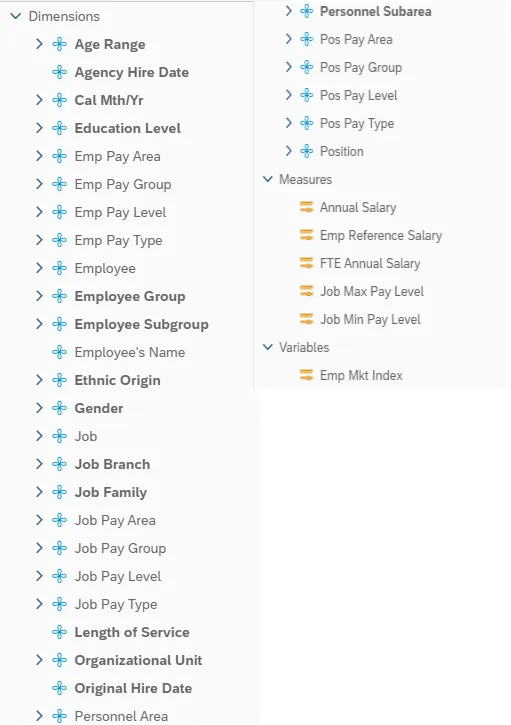
This is a list of the available objects that can be added to the report, from the Document Dictionary once in the Design mode:
Dimensions:
- Age Range
- Agency Hire Date
- Cal Mth/Yr
- Education Level
- Emp Pay Area
- Emp Pay Group
- Emp Pay Level
- Emp Pay Type
- Employee
- Employee Group
- Employee Subgroup
- Employee’s Name
- Ethnic Origin
- Gender
- Job
- Job Branch
- Job Family
- Job Pay Area
- Job Pay Group
- Job Pay Level
- Job Pay Type
- Length of Service
- Organizational Unit
- Original Hire Date
- Personnel Area
- Personnel Subarea
- Pos Pay Area
- Pos Pay Group
- Pos Pay Level
- Pos Pay Type
- Position
Measures:
- Annual Salary
- Emp Reference Salary
- FTE Annual Salary
- Job Max Pay Level
- Job Min Pay Level
Variables:
- Emp Mkt Index
Special Report Considerations/Features
- Temporary employees are excluded by default, but this can be changed.
- Report only pulls active employees with Banded Pay Type.