Purpose
The purpose of this Business Process Procedure is to explain Subtype ZCOS, Holiday Council of State, on IT2012 in the Integrated HR-Payroll System.
Trigger
Subtype on IT2012 titled ZCOS, Holiday Council of State became effective in the system on 9-26-14
Business Process Procedure Overview
Council of State employees post to a different account than SPA EEs. IT2012-ZCOS can be used to prevent the generation of WT1325 and allow the WT from IT0008 to default for holidays. This is intended for Secretary or Council of State positions only. EE must be negative time reporting and PSA NC04.
Users with Payroll Admin role can access IT2012 using PA30.
Procedure
There are 9 steps in this process.
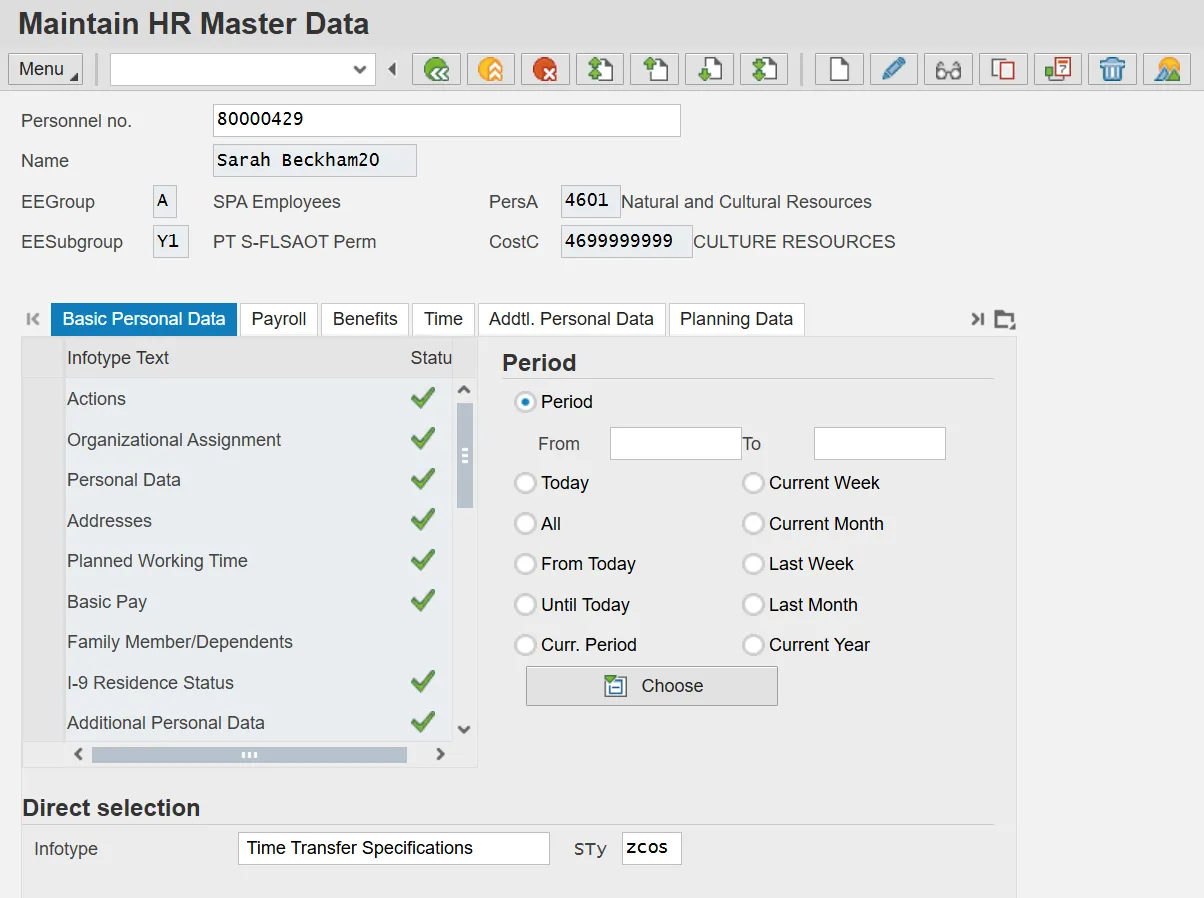
Step 1. Access PA30 (Maintain HR Master Data).
Step 2. Select infotype 2012 and subtype ZCOS.
Step 3. Click the Create button.
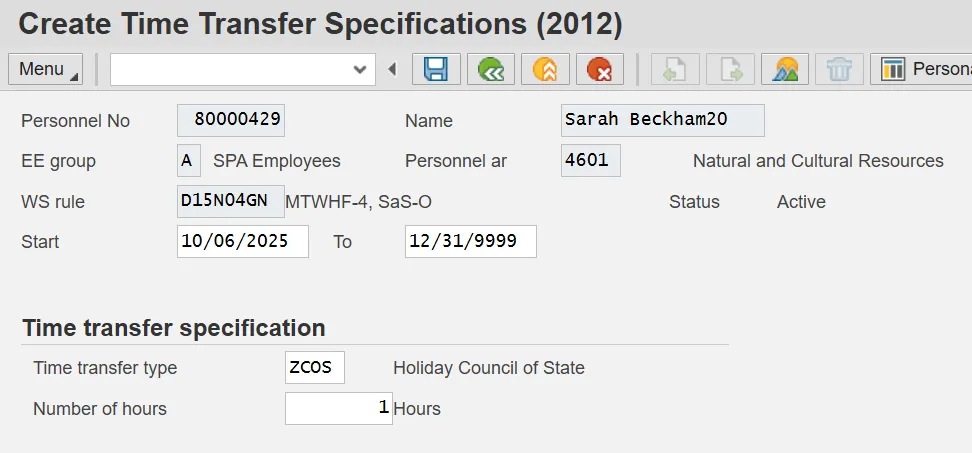
Step 4. Enter Effective date in Start field and in To field.
Note: The record can be set with a validity period range to high date (12/31/9999) but cannot have a start date prior to 7/1/2014.
Step 5. Enter 1 in Number of hours.
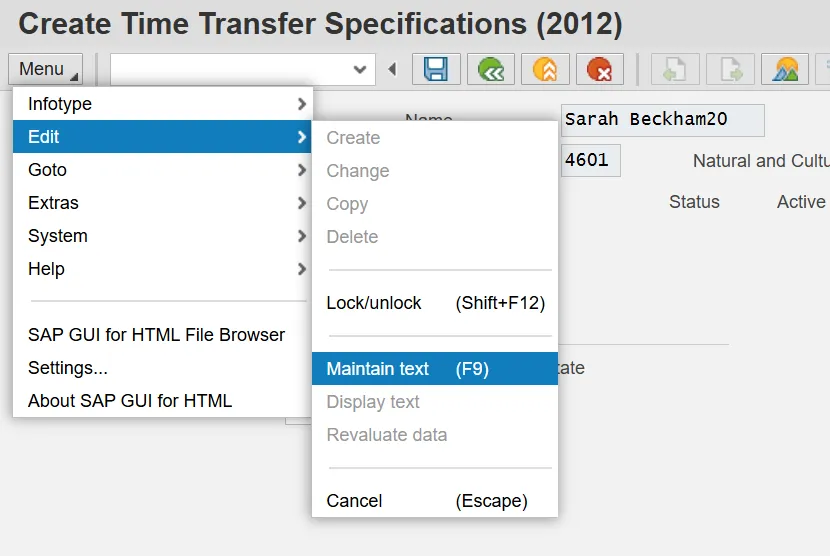
Step 6. On the toolbar at the top of the screen, click Menu > Edit > Maintain text.
Step 7. Type an appropriate message for the record.
Step 8. Click the Save (Ctrl+S) button to save the text to the record. The Maintain Text icon will display on the infotype.
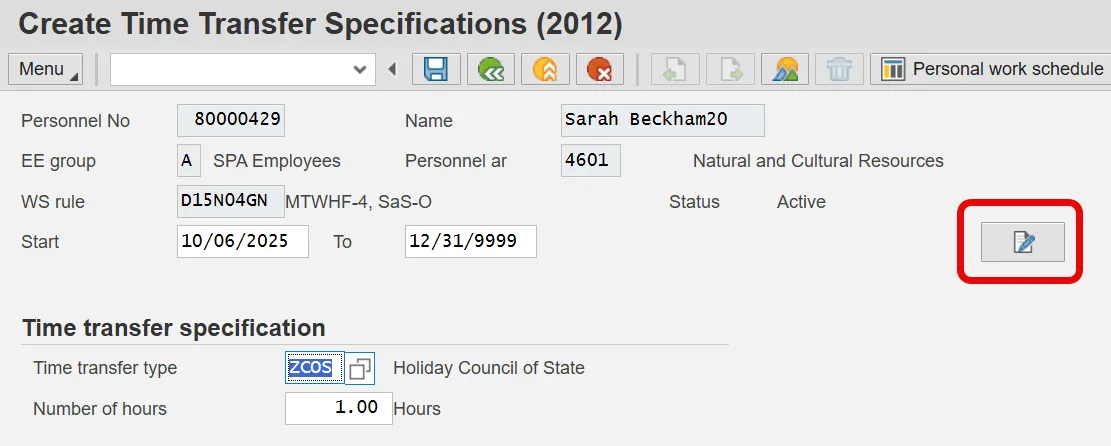
Step 9. Click the Save (Ctrl+S) button to save the record.
The system task is complete.