Purpose
The purpose of this Business Process Procedure is to explain how to change budget information and split funds in the Integrated HR-Payroll System.
Trigger
Agency has received information that budget needs to be changed and that their funds need to be split.
Business Process Procedure Overview
Infotypes 1018 and 9018 are accessed through transaction PO13. IT1018 is for the Cost Distribution. The cost center, fund, and internal order are the key fields for cost distribution. On custom IT9018, the total budget for the position is shown. Also, there is a reason code for any changes made to IT1018/IT9018.
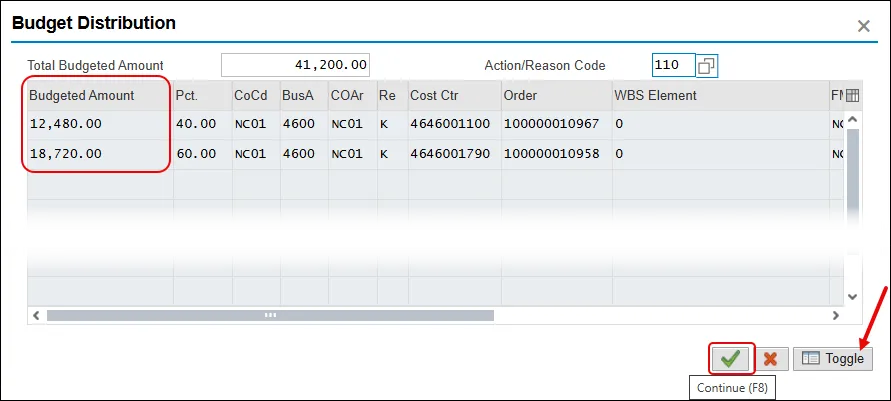
The Toggle button in IT9018 is used to open detail amount fields to be able to adjust the percentage splits into whole dollars.
Procedure
There are 16 steps to complete this process.
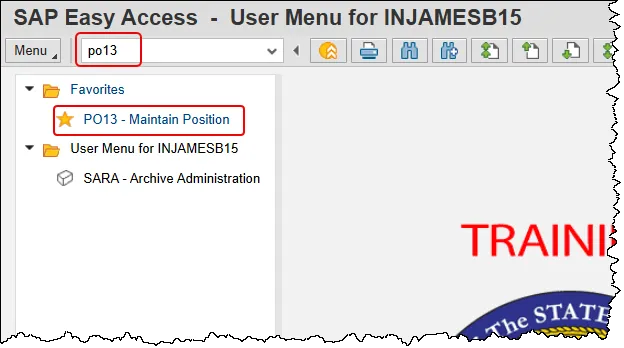
Step 1. Enter PO13 in the command field and press the enter button. Or double click it from your Favorites folder if you’ve previously saved it there.
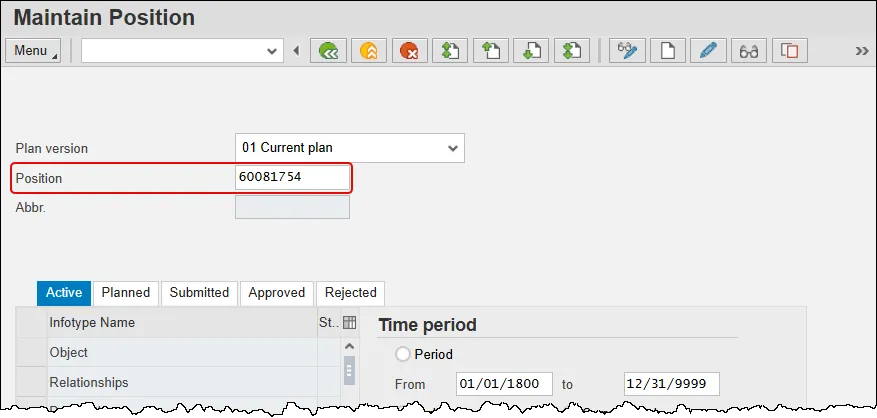
Step 2. Input the position number that needs updating. This document will use 60081754 from the OSC training environment. Access client 899 to follow along in a “live” system.
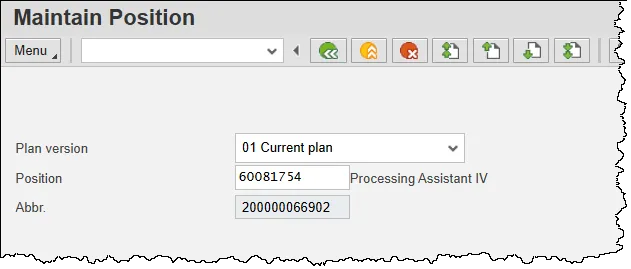
Step 3. Press Enter and verify the position displayed is the one you need to change.
Alert! Be vigilant on this step. A position number may be present already when you access the transaction, so be sure to review the position number and name to ensure they are correct.
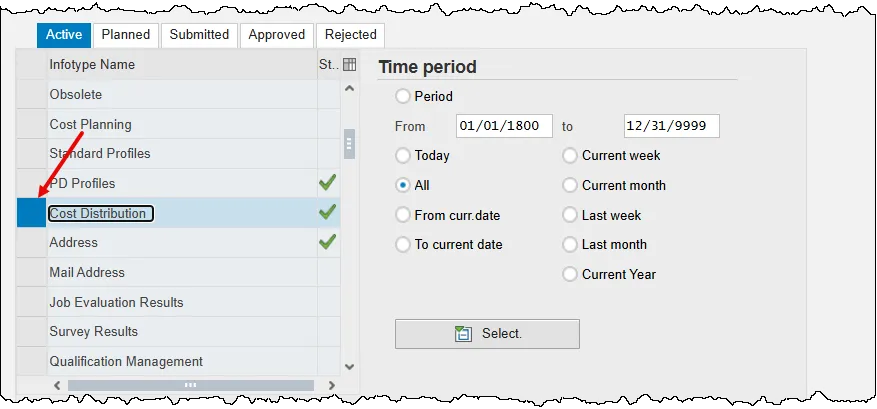
Step 4. Scroll down the list of position infotypes and click the square on the left of the Cost Distribution row.
Step 5. Click the Copy infotype button. Using the copy button will delimit the previous record and ensure that history is retained.
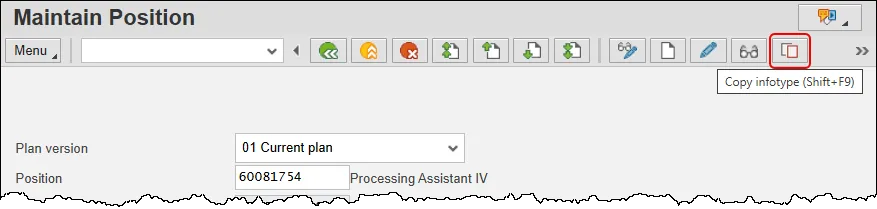
Step 6. Review each of the current Cost Distribution fields for the position by utilizing the scroll bar at the bottom of the row(s) of data.
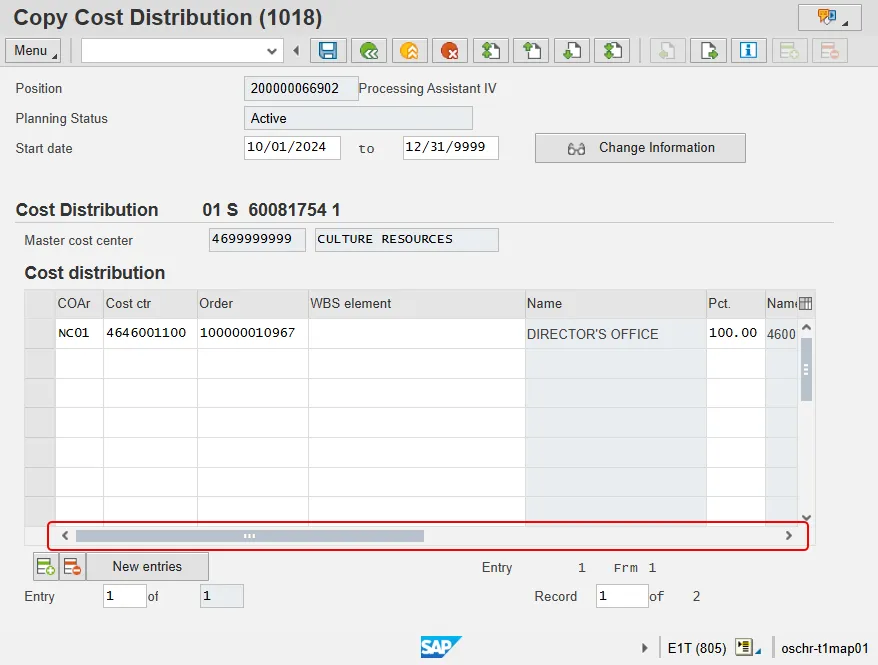
Step 7. Update the Start Date field.
Critical: You must change the Start Date.
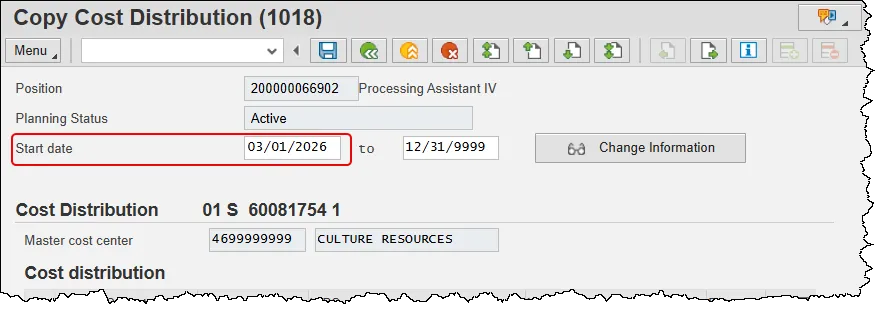
Step 8. Click in the Pct. cell on the first line and change it to the new value; in this example we’ll use 40%.
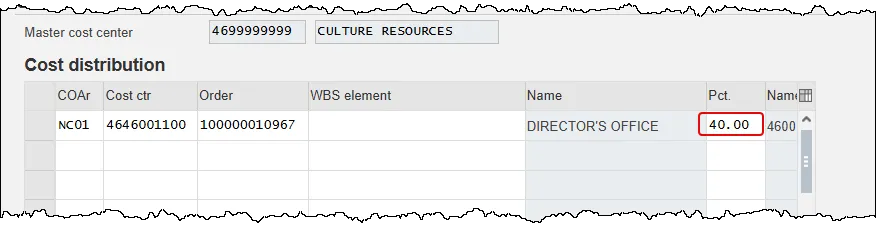
Step 9. Click into the first open row and complete the fields listed. A description of each field is at the bottom of this BPP. You will need to use the scroll bar at the bottom to access the fund field as pictured in the two screenshots below.
- Cost ctr – Key uniquely identifying a cost center.
- Order – Number which identifies an order within a client.
- Pct. – Percent. The sum of the rows must add up to 100%!
- Fund – Fund is a strategic organizational unit for identifying the origin or source of funds in the SAP system.
Note: The COAr (NC01) and Functional Area (G000000000000001) data is the same for every position, so there is no need to fill them out. The system will complete these values for you.
Note: The values in the screen shot are for illustration purposes only. You will enter data that is specific to your position.
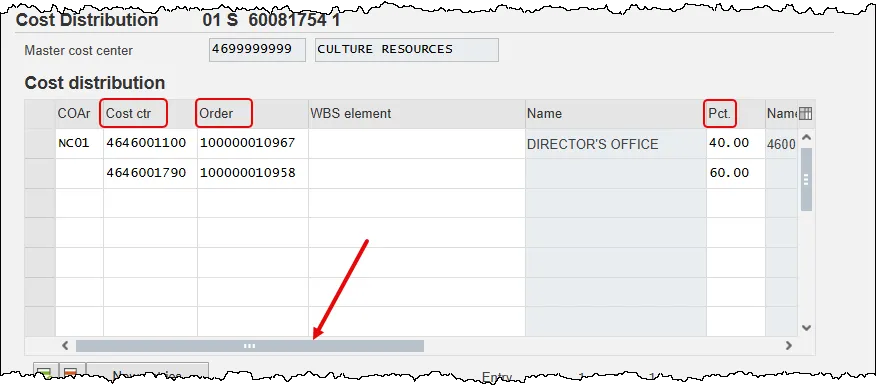
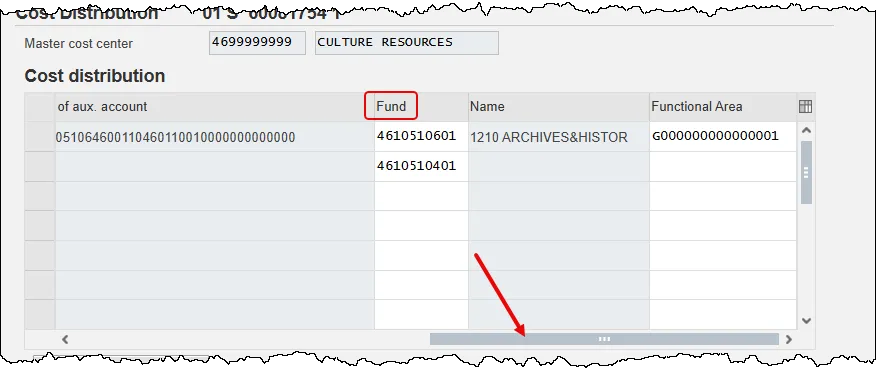
Step 10. Press the Enter key. The Budgeted Distribution pop-up will appear.
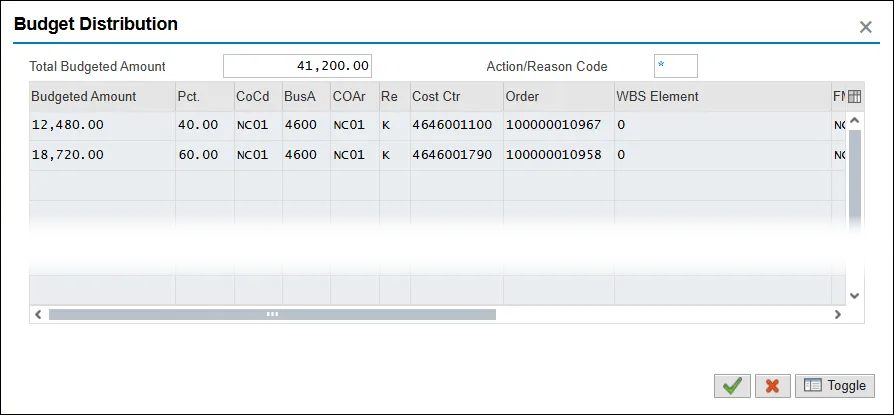
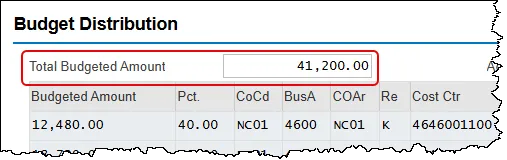
Step 11. Verify the Total Budgeted Amount and adjust as applicable.
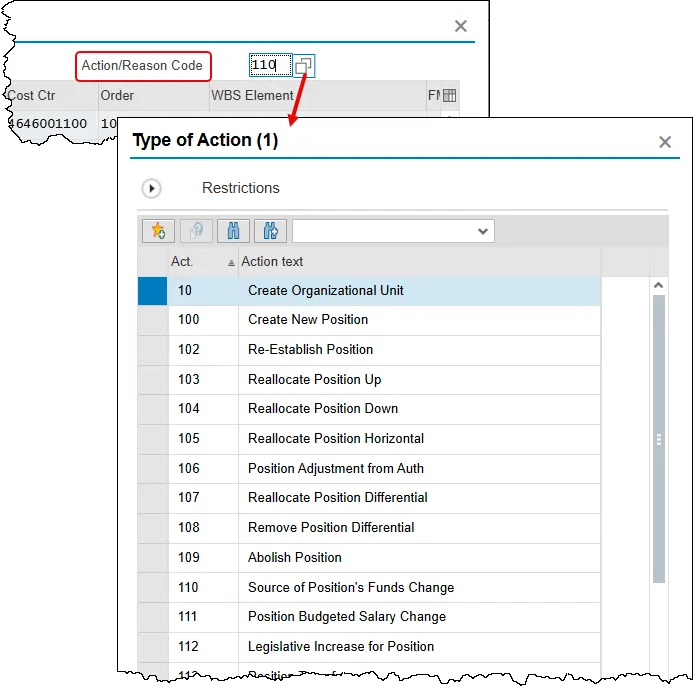
Step 12. Update the Action/Reason Code field. In this scenario, the correct reason to choose is 110 – Source of Position’s Funds Change. Clicking in the field will display the Matchcode button which can be clicked to see a list of reasons to choose from.
Step 13. Verify that the Budgeted Amount on each line is a whole dollar amount. The Integrated HR-PY System is programmed to calculate this way automatically, but always check its work. If an adjustment needs to be made, use the Toggle button on the bottom of the screen to manually round the amounts. Click the Continue button to return to IT1018 (Cost Distribution).
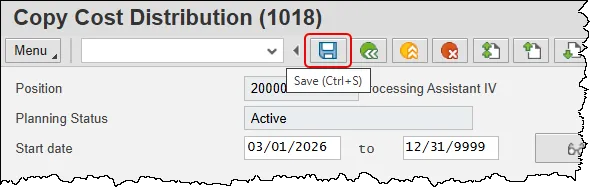
Step 14. Click the Save button.
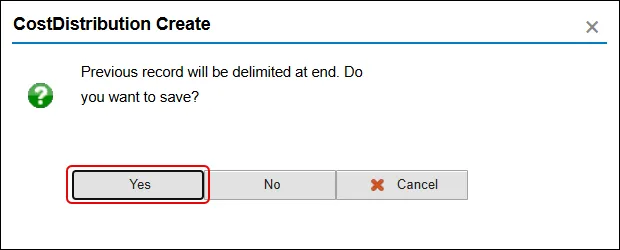
Step 15. Click the Yes button in the CostDistribution Create pop-up.
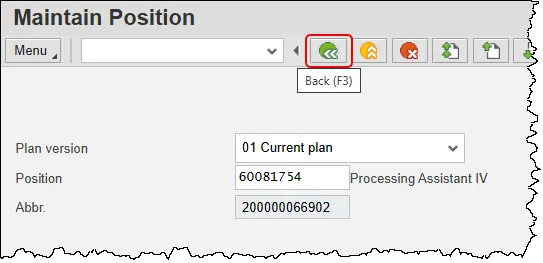
Step 16. Click the Back button.
The system task is complete.