Purpose
The purpose of this Job Aid is to demonstrate the use of transaction code ZNCFSXWLK to produce an Internal Order Crosswalk Report.
T-Code ZNCFSXWLK (Internal Order Crosswalk Report)
The ZNCFSXWLK transaction code used in the Integrated HR-PY System to run the Internal Order Crosswalk Report. The transaction code will generate an online report that will provide the crosswalk of the current and new Internal Order Descriptions to the NCFS segments. The Internal Order Description is the link between the NCFS General Ledger Account Segment postings, and the payroll expenses generated from HR-PY Integrated System. This information will aid users in reconciling payroll data between the Integrated HR-PY System and NCFS.
Access to the ZNCFSXWLK t-code is controlled by Security. Agencies will only be able to view their Agency’s specific Internal Order Descriptions.
There are 6 steps to complete this process.
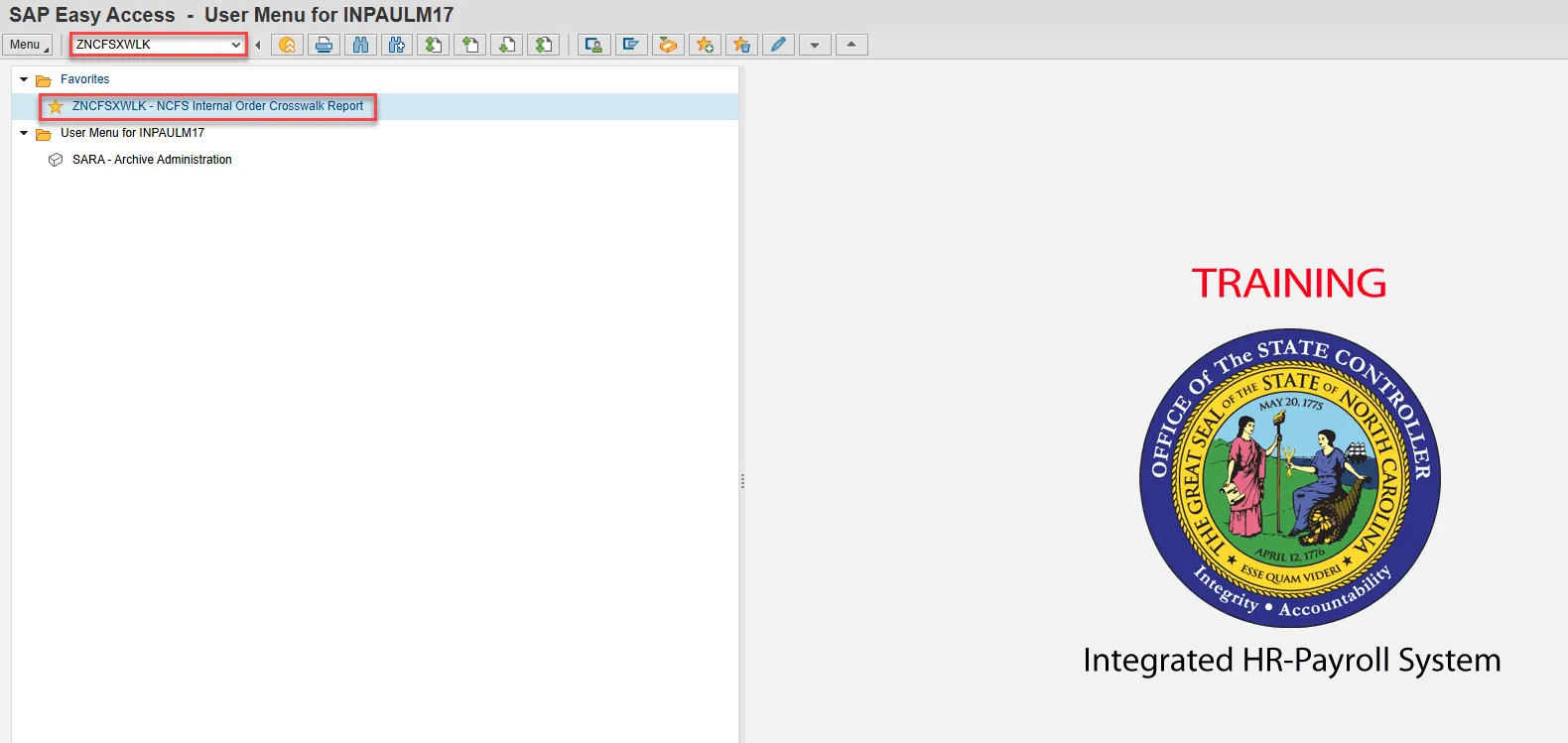
Step 1. Select ZNCFSXWLK.
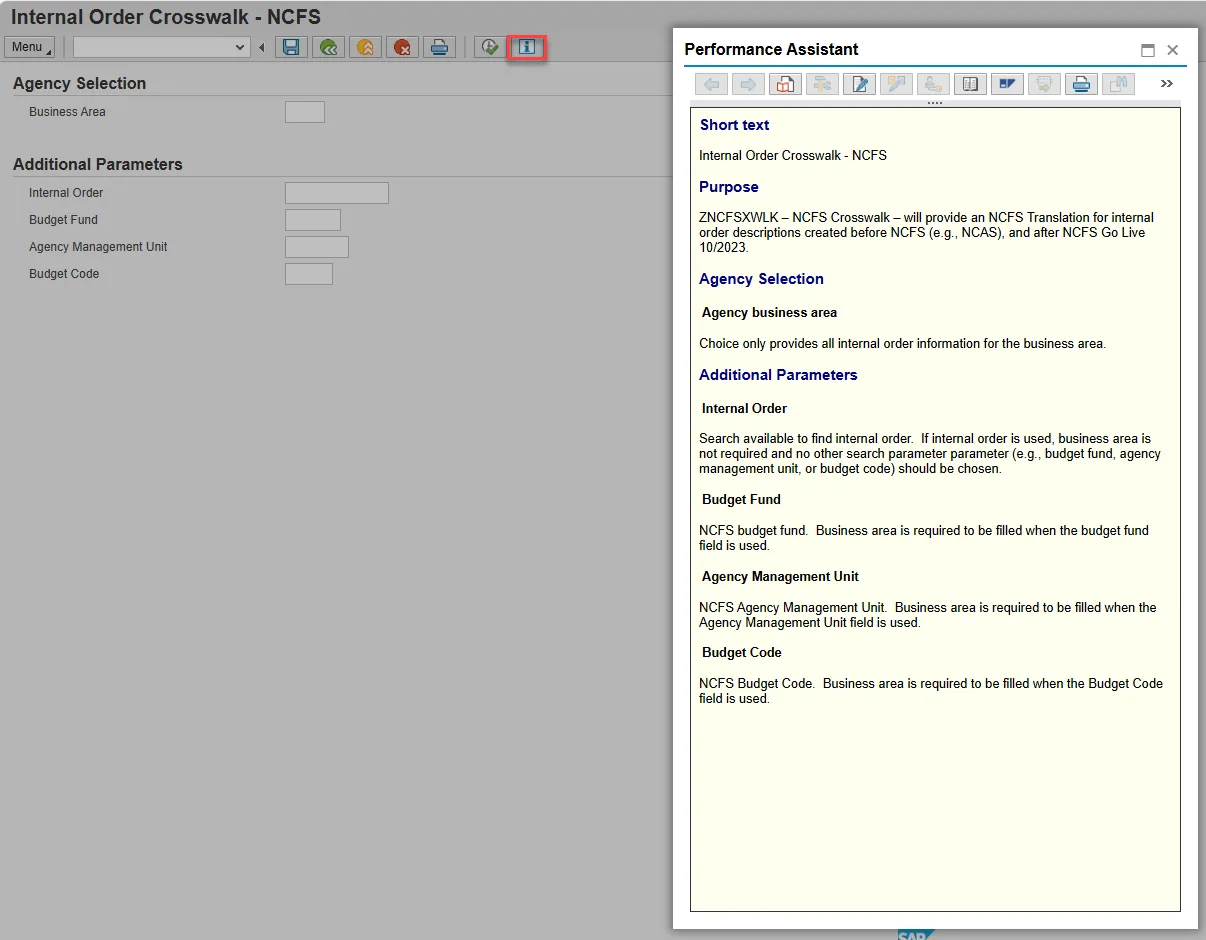
Step 2. The Information button will provide details about what data should be entered into each field on the initial screen.
Step 3. Update the Business Area field and choose Enter on the keyboard.
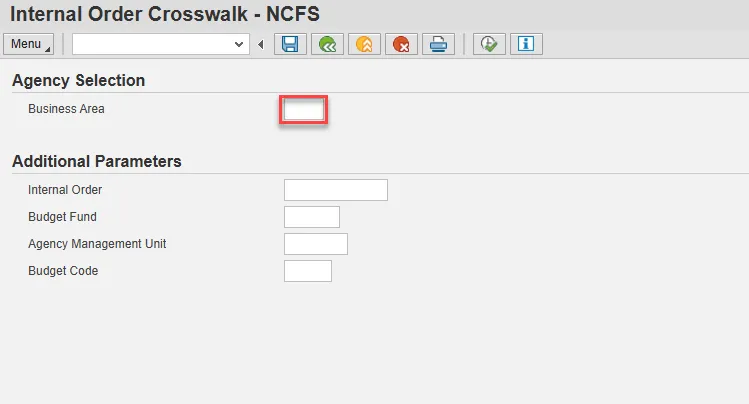
Note: The Business Area and/or Internal Order are required fields. If more than one parameter is attempted in the Additional Parameters section of the Input screen, a pop-up error message will display.
Step 4. To view a specific line detail, choose the Magnifying Glass button.
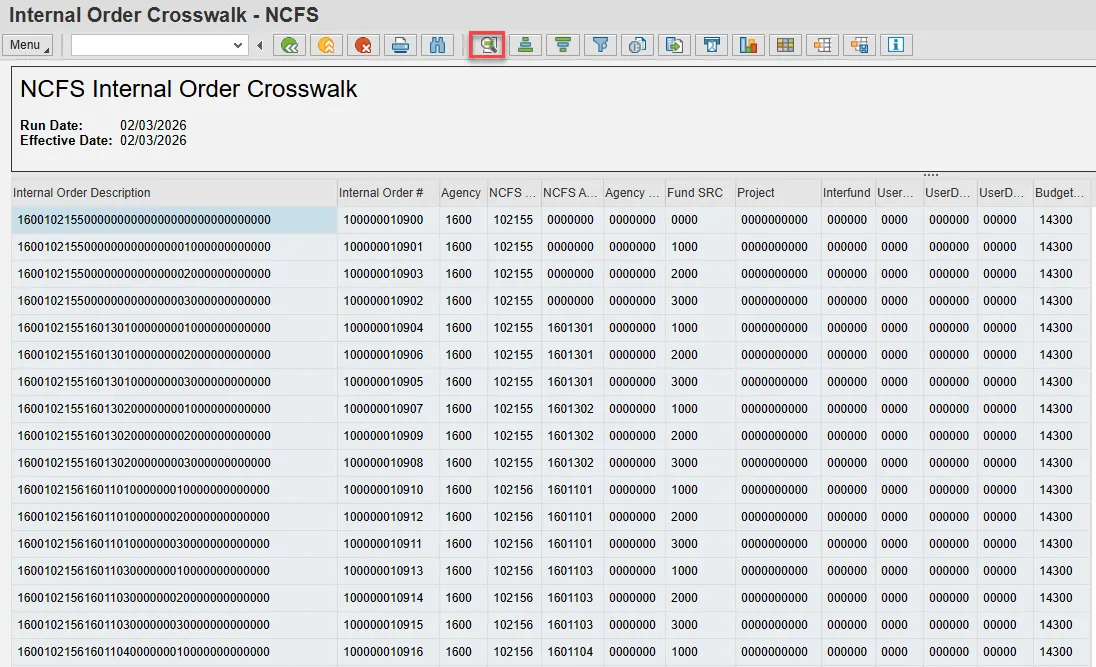
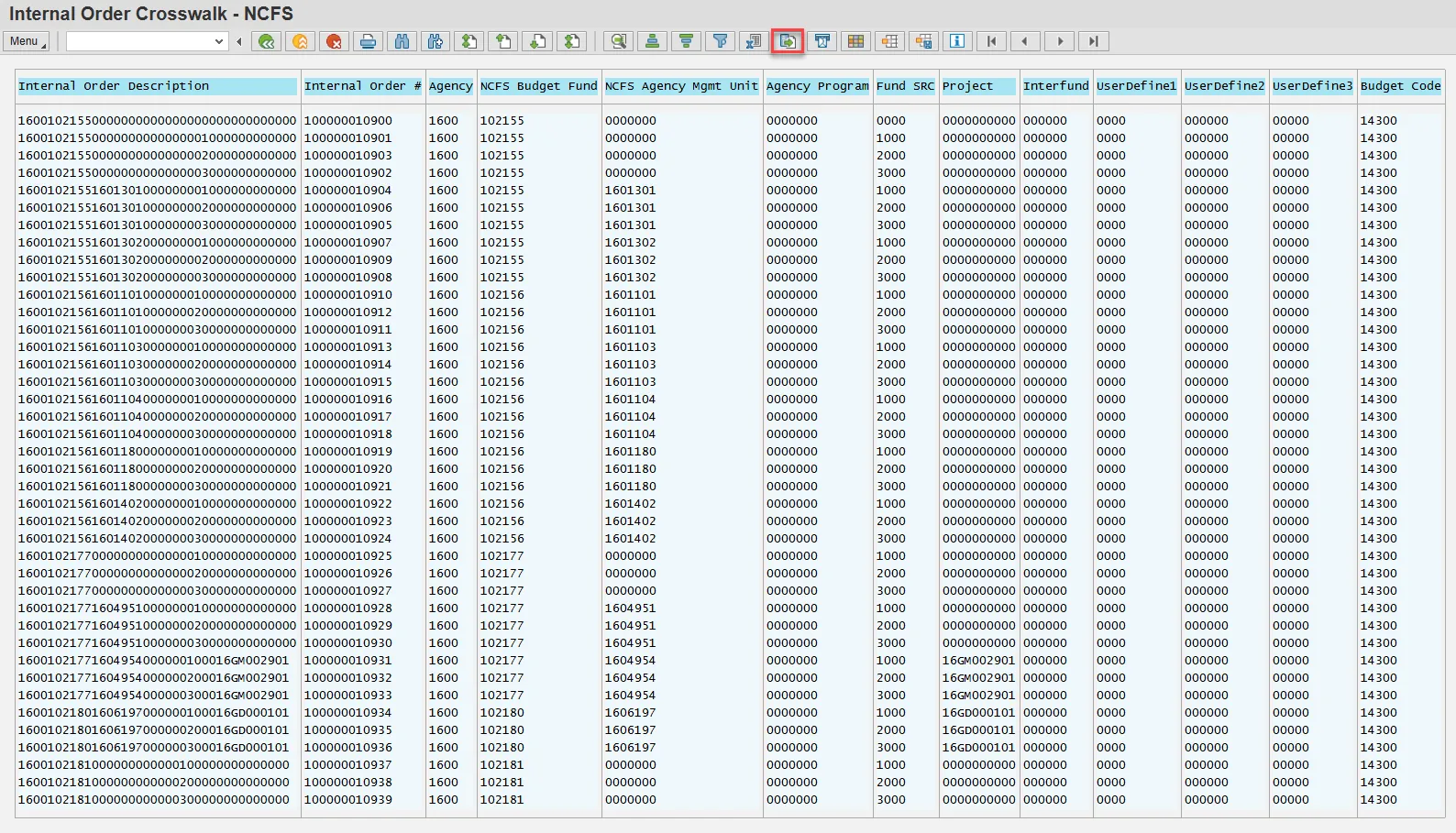
Step 5. The Print Preview button will produce a report in table form.
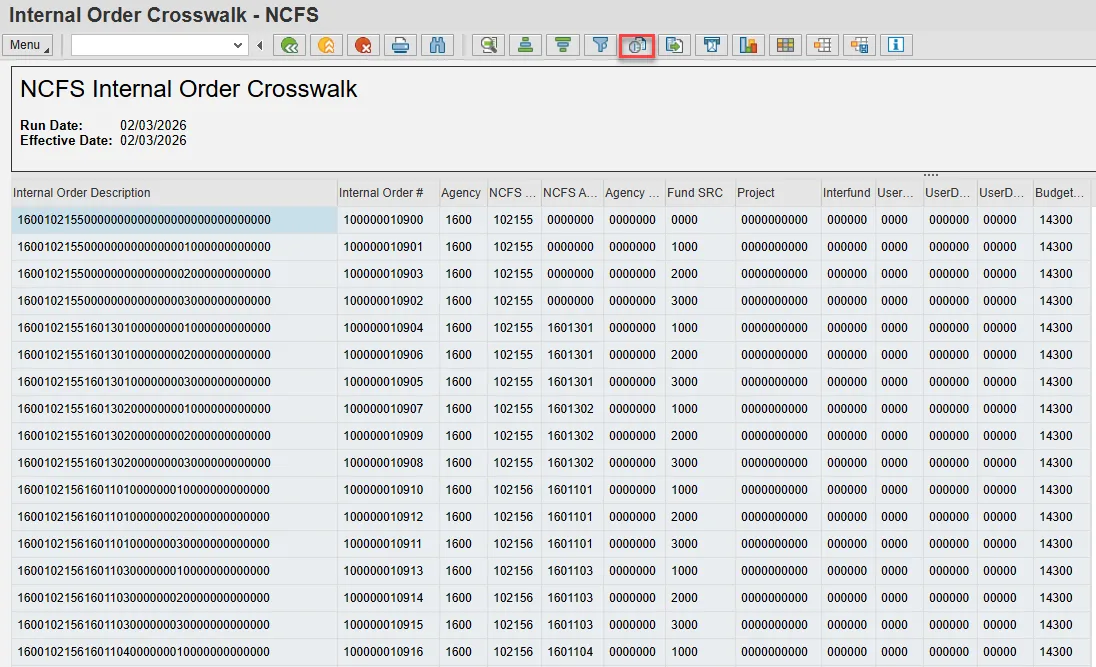
Step 6. The report can be exported by selecting the Local File button.
Special note for Business Area NC02 Companies: There is no Internal Order information maintained on the Crosswalk Table for DOT and ESC Business Areas 1500 and 4400.
Potential Error Messages from the Crosswalk Report input screen:
- Message: You are not authorized to view Business Area xxxx
- Resolution: Contact BEST Shared Services
- Message: Please choose only 1 input parameter
- Resolution: Remove all but 1 input parameter and re-execute the report
- Message: Internal Order not found xxxxxxxxxxxx, Budget Fund xxxxxx is invalid for Agency xxxx, AMU xxxxxxx is invalid for Agency xxxx, Budget Code xxxxxx is invalid for Agency xxxx
- Resolution: Check input data for accuracy and re-execute the report
- Message: Internal Order xxxxxxxxxxxx is invalid for Agency xxxx
- Resolution: This message is generated because it does not exist on the Crosswalk Table